Nicholas TongUbiquiti UniFi Dream Machine SE
23 / 46
one box, four jobs, one power supply
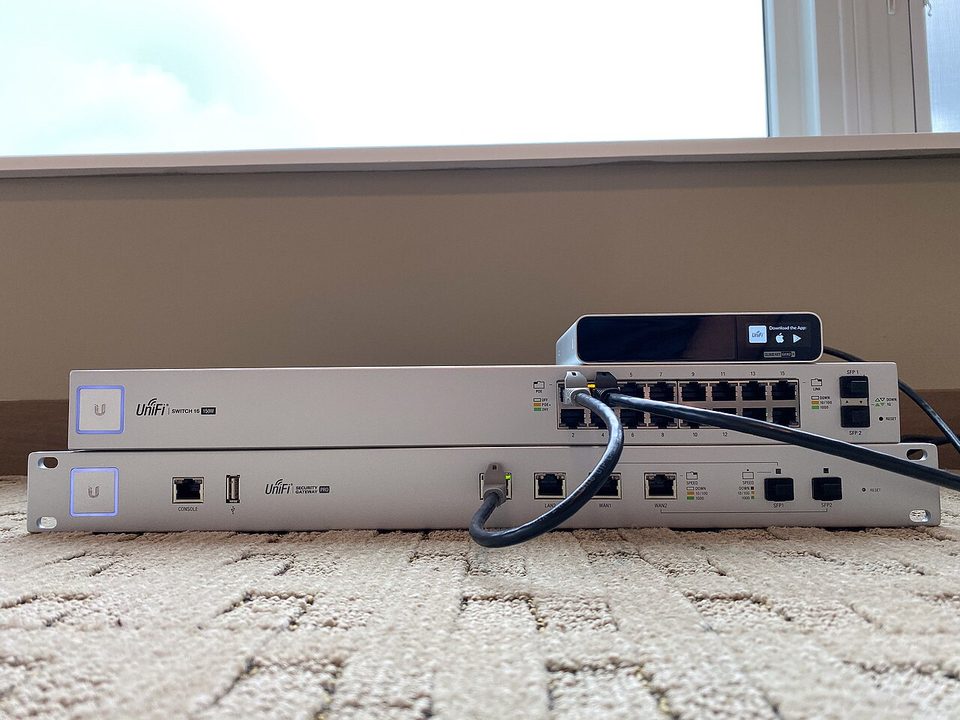
The little screen on the front of my firewall was showing me a cartoon of my own network. Ports, arrows, a little camera icon, all drawn on a 1.3 inch touchscreen, in a closet, at 11pm, while I held a flashlight between my teeth. That was the moment I understood what I had bought. Not a router. A cartoon of a whole IT department, printed on aluminum, with one power supply behind all of it.
The Dream Machine SE is Ubiquiti's all-in-one for people who want the rack without the rack budget. It cost me $499 from the Ubiquiti store, so let me get the disclaimer out of the way: this is not a purchase recommendation. I paid for it myself, and what follows is a report from a year of living with it, not a nudge toward the add to cart button.
the part everyone gets wrong
People buy the SE because consolidating four devices into one sounds efficient, and they end up treating it like a convenience purchase. It is not one. Here's the thing: consolidation is a decision about failure modes, not desk space.
This box is the router, the switch, the PoE power injector for half the hardware in my house, and the network video recorder for my cameras. One internal PSU at 240W feeds all of it. On paper that is consolidation. In my head that is a fuse with four jobs. When the power supply goes, I do not lose the internet. I lose the internet, every wired connection, the cameras' ability to power on, and the recordings of the exact moment it happened. I have spent hours in outage postmortems where the root cause was one component doing several jobs, and every one of those documents has a line that reads something like "we knew this was a risk."
The second thing everyone gets wrong is the cloud part. UniFi is sold as an ecosystem, and the ecosystem assumes it can see you. You can run it locally now, with a local admin account, and I do. But the design pressure, the default paths, the app, the unifi.ui.com remote access, the automatic cloud backups, all of it flows one direction, and you have to be deliberate to swim against it.
the mechanics
Physically it is 1U of brushed aluminum, 17.4 inches wide, ten pounds, with eight gigabit ports, one 2.5 gigabit port, two 10G SFP+ ports, and 180W of PoE budget across the switched ports. Inside: a quad-core ARM Cortex-A57 at 1.7 GHz, 4GB of RAM, 16GB of eMMC plus a built-in 128GB SSD, and a single 3.5 inch bay that exists for one reason, camera recordings. The touchscreen lives top left and it is genuinely useful for firmware progress and port status, and it is also the brightest thing in my closet.
The ARM chip routes my gigabit line with room to spare, and Ubiquiti rates IDS/IPS throughput at 3.5 Gbps. I would not build a threat lab on this CPU. I would absolutely put it in front of a small office or a house full of IoT.
The real draw is the integration. I put a 12TB drive in the bay and adopted my cameras into Protect, and recordings started landing in the same dashboard as the VLANs. One pane of glass. DNS filtering, the firewall rules, the port profiles, the NVR, all in one interface that does not require a second server. For the first month it felt like cheating. The adoption flow, where the camera and the switch and the AP all walk into the controller, is the smoothest part of the product, and I say that as someone who distrusts smoothness on principle.
where it breaks
Start with the cloud history, because it is not hypothetical. In early 2021 Ubiquiti had a breach of its cloud infrastructure involving user data, they told customers to enable two factor authentication on unifi.ui.com, and the stock took a real hit. In 2024, lists of credentials tied to UniFi SSO accounts showed up for sale on a forum, and the company said its systems were not the source. I am not going to tell you what to conclude from that. I am going to tell you what I concluded: my UniFi cloud account is the most valuable credential in my house, because it can see my network topology, my client list, and, through remote access, my management interface. It gets a unique password and hardware-backed two factor, and the remote access feature on the box itself stays off.
Then the subscriptions. The IPS signatures come from a CyberSecure feed built with Proofpoint, and it runs $99 a year. That is a fair price for a good feed, but notice the shape of it: you bought a $499 device and the security part is a recurring line item that also tells a third party what threats your network is matching. I paid for one year, then audited what the box sends upstream with the subscription on versus off, and I left it off. I might be wrong about this, and if I am, someone will tell me, but I prefer my IDS telemetry to have one less hop.
The honest complaint list continues. High availability, the Shadow Mode failover that answers my one-PSU problem, costs a second $499 unit. Firmware updates occasionally break something adjacent; the version where an AP refused to adopt cost me a Saturday morning and one trip to the pho place on Bellaire to think about it. And the ecosystem is closed in both directions. The chassis takes UniFi parts and UniFi attitudes. If you like learning why things work, this platform will sometimes decline to tell you.
what to do
If the SE fits your site, the setup choices are where you win or lose:
- Local admin account on the gateway. Cloud account with 2FA only for the store and the account portal.
- Remote access off unless a real use case earns it back.
- Know that router, switch, PoE, and NVR share a power supply, and decide on purpose whether you accept that.
- Export a config backup off the box monthly. One box holding the config and the thing it configures is a bet, not a backup.
- Upgrade on a Saturday morning, never midnight, and read the release notes like they are patch notes for a game you are running in production.
I like this machine more than I trust it, and I want to be careful here, because that sentence is doing a lot of work. It is the best consolidated gateway at this price. It is also a single aluminum point of failure wearing a touchscreen, and it is calibrated, gently, to get you onto a cloud account and a subscription.
Draw your network on paper tonight and circle every box doing more than one job. Then ask what happens to each job when that box goes dark.