Nicholas TongUbiquiti UniFi U6 Pro access point
24 / 46
the wire inside your wifi
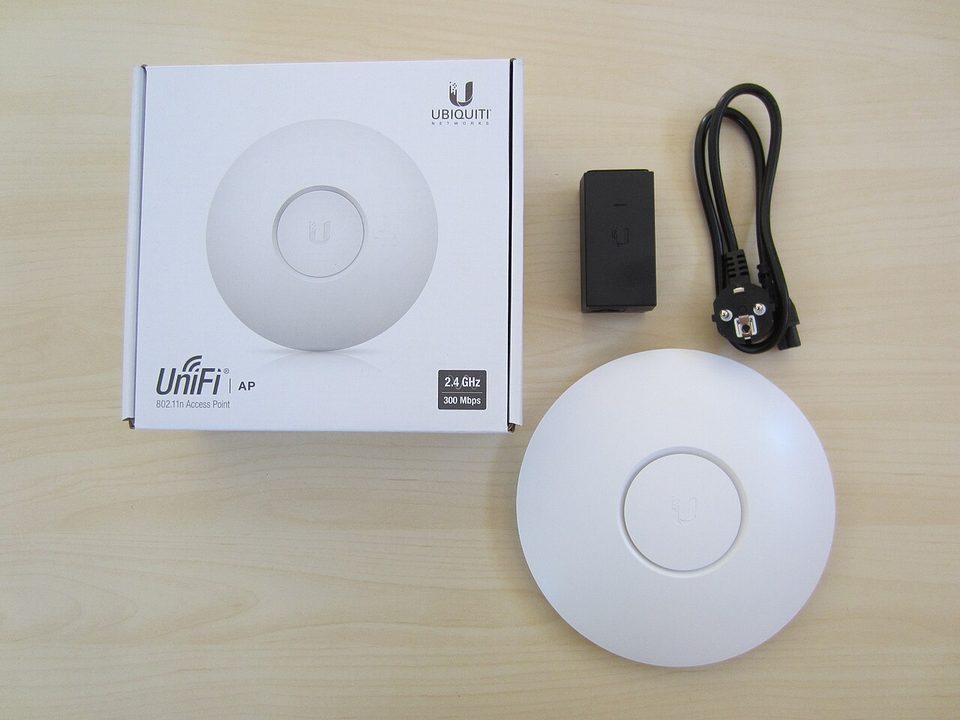
For three Tuesdays in a row, my access point dropped off channel 100 at almost the same hour, mid-afternoon, for a few minutes at a time. Nothing else on the network noticed. Laptops roamed to another channel and came back. But the log kept saying the same thing in the flat language logs use: radar detected, channel changed. I spent an afternoon building theories about a hostile jammer two houses down. The answer was real radar, somewhere in the approach path of an airport, and a radio that is required by law to get out of its way.
That access point is a UniFi U6 Pro, it cost me $159 from the Ubiquiti store, and it hangs from my hallway ceiling doing one job, which is being a radio. I want to use it to explain the part of wifi nobody tells you, which is that the interesting failures live in the wire and the regulations, not in the megabit count on the box.
the part everyone gets wrong
The spec sheet says 4.8 Gbps on the 5 GHz radio. The uplink is one gigabit Ethernet port. Read those two lines together and you have the whole review.
Wifi numbers are radio numbers, measured in a lab, against one client sitting close, using a 160 MHz channel. Your house is not that lab. The wire behind the AP is 1GbE, so the ceiling for everything that leaves the AP is a gigabit, and in practice my busiest hour is a dozen clients sharing airtime, which means the 4.8 Gbps rating is a marketing figure wearing a lab coat. This is not a dig at Ubiquiti. Every AP vendor prints the same kind of number. The mistake people make is shopping on it.
Here's the thing nobody says out loud: the access point is the most trustworthy box on my network. It has no account, no cloud login, no storage, no subscription. It is polycarbonate and radios, powered over the Ethernet cable, and it talks to exactly one thing: my controller, the gateway I reviewed a few weeks back. The trust questions in a UniFi house do not live in the AP. They live in the controller and in how you build the SSIDs. An AP is a door. It does not decide who you let in.
the mechanics
The U6 Pro is WiFi 6, four spatial streams on 5 GHz and two on 2.4, in a disk about 197 millimeters across. It pulls at most 13 watts over PoE. It covers what the spec sheet calls 1,500 square feet, and what my hallway calls "the part of the house with drywall instead of brick."
The security work happens in the SSID config, and this is where UniFi earns its keep. I run three networks off the same AP:
- Main, WPA2 with a long passphrase, the machines I work on
- IoT, one SSID for the cameras, the thermostat, and a set of plugs, with client isolation on
- Guest, throttled, isolated, on a schedule that turns it off at 2am when nobody real is using it
One thing I learned the hard way at the MSP, from a senior who fixed RF problems while the rest of us rebooted things: a WPA2 and WPA3 transition network is only as strong as the weakest handshake it accepts. Half my IoT zoo cannot do WPA3 at all. So the IoT SSID stays on WPA2, sits inside client isolation, and reaches exactly nothing outside its segment. The isolation rules are on the firewall. The AP enforces the door. Both matter, and people skip the second one because the first one has a dashboard.
where it breaks
Back to channel 100. The fast channels, the 160 MHz ones that make the 4.8 Gbps number possible, sit in DFS spectrum, the range shared with radar. When the AP hears radar it must vacate the channel within the regulatory window and move everything to a slower one. It is not a bug. It is the deal you make to use that spectrum. After the third Tuesday I disabled 160 MHz entirely, dropped to 80, and lost about forty percent of my peak lab number and none of my real experience. Your fast wifi is one radar sweep from being average wifi, permanently, and the dashboard will just quietly mark it "radar."
Other honest limits. The PoE injector is not in the box; the 15W adapter is an $8 accessory, and if you do not have a PoE switch you are buying one. The gigabit uplink means a second AP cannot be justified by throughput on a gigabit line; it gets justified by coverage, which is the right reason anyway. Coverage claims assume air, and Houston brick is not air; my "1,500 square feet" behaves like 900 with walls in it. And the platform wants a controller. A standalone AP works with the phone app, but the good features, the schedules, the RADIUS options, the statistics, assume you are inside the UniFi system, which is a coupling I accepted when I bought the gateway and want to name as a coupling anyway.
One more, because it is true: the status LED is bright enough to read by at 3am. There is a square of electrical tape over mine, which does no rhetorical work at all. The paper install template that came in the box now lives under a magnet on my fridge, and I cannot tell you why.
what to do
If you are buying a ceiling AP, the shopping list is short and the setup list matters more:
- Hardwire it. An AP on a wireless uplink is a compromise you will forget you made.
- One SSID per trust level. Cameras and plugs do not get to see your laptop.
- Client isolation on anything that shares a password with strangers.
- Turn off legacy data rates from 802.11b. Every old rate is airtime everyone else pays for.
- Expect DFS to move your channel if you chase 160 MHz, and decide whether the peak number is worth the Tuesdays.
The U6 Pro is the least interesting box in my rack and the one I would replace last. It does one job, it has no opinions, and it tells my controller the truth. Most of my wifi problems since install have been RF problems, brick walls, a radar sweep, a neighbor's new mesh node, and none of them were fixable by the vendor or by a subscription.
Open your wifi settings tonight and count your SSIDs. If the IoT devices share a network with your laptop, that is the audit, and you already know how it ends.