Nicholas TongSamsung 990 Pro SSD
15 / 46
Samsung 990 Pro: the flagship drive and the firmware problem
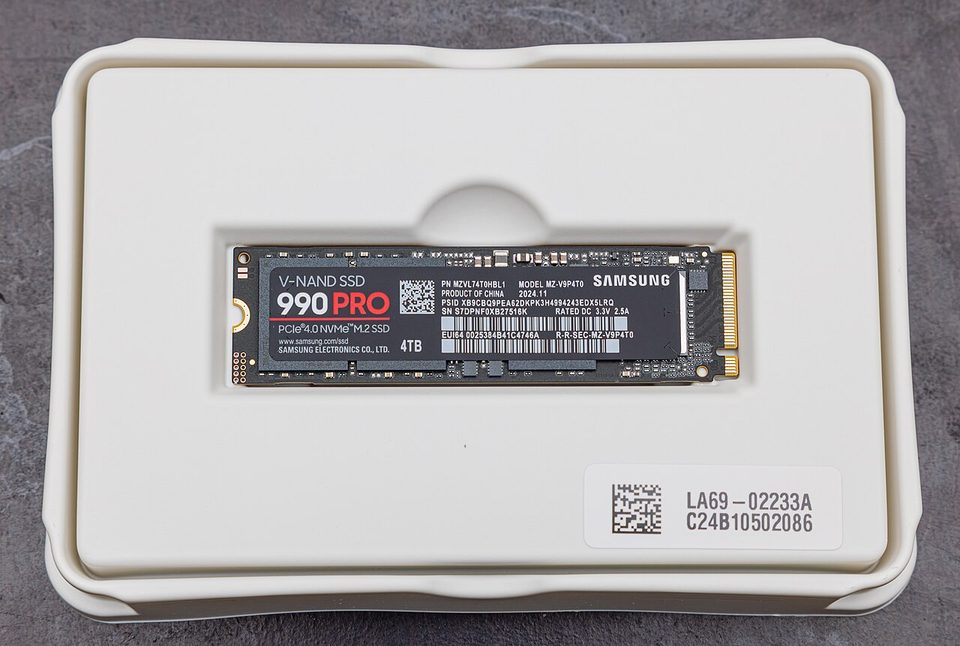
In January 2023, owners of a drive that had been on the market for three months started posting the same thing: SMART health dropping years early. Not the usual consumer SSD stuff, death by workload, but fresh units reporting wear after a fraction of a percent of their rated endurance. I want to start there instead of the speed numbers, because the 990 Pro is the fastest PCIe 4.0 drive most people can buy, and it still had a firmware issue that shipped to customers, sat invisible in a SMART counter, and only got noticed because some of us read our own telemetry for fun.
Plainly, since the rules require it: this is not a purchase recommendation, and I paid for the 4TB unit in this review myself, out of a workstation budget I keep pretending is a hobby budget.
the part everyone gets wrong
The headline number everyone argues about is 7,450 MB/s, and it's the least useful thing on the page. That number requires a PCIe 4.0 board, free lanes, and a workload that reads big sequential files. Put the same drive in a PCIe 3.0 machine and you lose roughly half of it through no fault of the drive. The part that actually shows up in real work is sustained behavior: what the drive does on gigabyte-scale writes when its SLC cache runs out and it's writing directly to TLC NAND, which is where the 990 Pro earns its flagship price and where marketing goes quiet.
The second wrong read: people treat firmware as plumbing that works. Firmware is code, shipped by a vendor, running on your data, and the 2023 health-reporting problem is the proof it can be wrong in ways that only show up if someone watches. Samsung shipped a corrected firmware through Magician, their desktop tool, and the story ended well, which is the best I can say for any opaque firmware on a consumer SSD.
the mechanics
The 990 Pro is a M.2 2280 NVMe drive on PCIe 4.0 x4, with Samsung's own controller and TLC V-NAND behind LPDDR4 DRAM, which is the layout that gives you consistent latency instead of DRAM-less spasms. The 2TB model does 7,450/6,900 MB/s sequential and 1,400K/1,550K IOPS, and the endurance rating scales by capacity: 600 TBW per terabyte, five-year warranty. Those are numbers you can hold against every competitor, and Tom's Hardware's launch review in October 2022 called it class-leading for good reason.
The endurance math is worth doing out loud, because I did it before buying. Rated at 1,200 TBW for 2TB, that's a terabyte of writes every day for over three years. My workstation writes maybe 60GB in a normal month. The ratio between what flagship drives are rated for and what people actually do to them is roughly obscene, and once you see it, the 4TB purchase is about capacity and patience rather than wear.
Security surface, since that's my angle: the spec sheet advertises TCG Opal self-encryption, and I use LUKS anyway, because I can read the implementation and I trust it more than a closed SED stack I'd have to configure correctly under an OS that barely acknowledges it exists. The drive itself has no network stack and doesn't phone home; Magician, the Windows companion, is the network-aware piece, checking for firmware and flashing it, which is a normal pattern and still an opaque one. Firmware blobs arrive signed and unexplained. That's the industry-wide situation, not a Samsung problem specifically, and I'd rather say that plainly than pretend a different vendor's blob is more trustworthy.
where it breaks
First break: thermals. At full tilt the controller runs hot enough that most motherboards want their own heatsink over it, and the bare drive throttles under sustained load in a warm case. There's a factory heatsink version, and it's the version to buy for a desktop with no M.2 armor. On a laptop, where the 990 Pro's efficiency makes it a popular upgrade, the same heat lives under a keyboard deck with no fan of its own.
Second break: the cache drop. On a multi-hundred-GB write, the first stretch hits the headline numbers, then the drive transitions to direct-to-TLC and the rate roughly halves for the remainder. Nobody notices copying vacation photos. Video editors notice, and the honest description of this drive is "brilliant in bursts, merely very good in marathons."
Third break, and it's the trust one: the gray market. High-end Samsung drives are among the most-counterfeited and relabeled products in storage, and a drive bought from a reseller of unknown provenance arrives with a model number on a sticker and no way to verify what's inside except reading its real controller through software. I bought mine direct from an authorized seller for that reason, and the extra dollars are the cheapest part of the purchase.
My admission: the 4TB was for a build I finished in a weekend, and it has spent most of its life as a Steam library and a VM store. I bought flagship endurance for a workload that couldn't scratch it in a decade, and the only honest justification I have is that I've eaten two drive failures, and each one cost me a week of reconstruction I never budgeted. Call it insurance with a PCIe interface.
what to do
- Match the drive to the bus. PCIe 3.0 machine? The 990 Pro's cheaper siblings hit the same ceiling, and the money saved goes toward capacity.
- Put a heatsink on it, factory or motherboard armor, before you bench-press it with writes.
- Install Magician on day one, turn on firmware checking, and apply the 4B2QGXA7 update if your unit predates it. Then read SMART monthly like a person, not never.
- Buy from authorized sellers only. If the price looks like a typo, it is one.
- If you need encryption, set up LUKS or FileVault yourself and stop thinking about SED. The key you control beats the mechanism you can't audit.
The brass standoff that holds an M.2 down is a few millimeters tall and took me eleven minutes to find after it jumped off the motherboard tray, and I own two spares now, which is one more than I need and one fewer than the next drive install will demand.
Update the firmware before you trust the drive. It's the only instruction on this page that has ever mattered to someone mid-failure.