Nicholas TongMinisforum UM790 Pro mini PC
19 / 46
Minisforum UM790 Pro: the desktop in a paperback's body
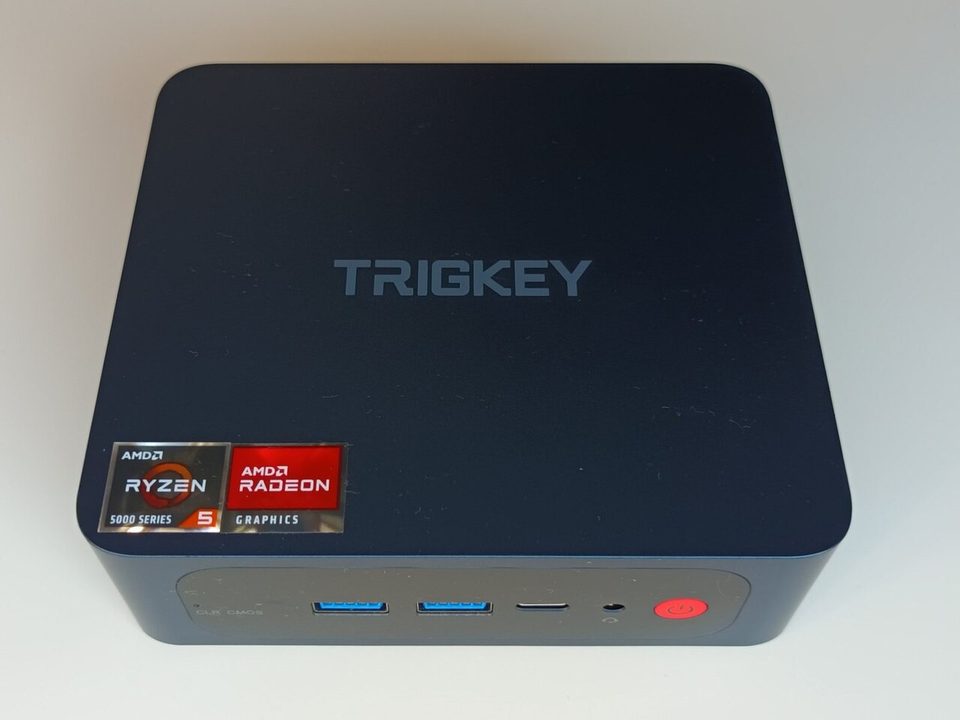
The box idles at 9 watts with a fan I can hear only when the house is silent, and my house is never silent, so effectively never. That idle number is the entire reason this category exists: a Ryzen 9 7940HS, eight Zen 4 cores, in a chassis smaller than a paperback, pulling less power at idle than the light it sits under. The mainboard in my old desktop used to draw that before the GPU woke up. Notebookcheck's July 2023 review tested the UM790 Pro against its NUC-shaped competitors and found it better on most axes, and a year of running one as my daily lab box says they were measuring the right things.
Plainly, since the rules require it: this is not a purchase recommendation, and I paid for the unit myself, the 32GB/1TB configuration, at launch-window pricing.
the part everyone gets wrong
The wrong read is "it's a laptop CPU in a box, so it's a compromise." The 7940HS is a 35-to-54 watt part, and Minisforum's chassis gives it more sustained cooling than the thin laptops that chip usually lives in, so it holds boost clocks that a 14-inch machine can't. The compromise runs the other way: this is laptop silicon with desktop manners. What you give up isn't performance, it's sockets. RAM is SO-DIMM DDR5, two slots, replaceable. Storage is M.2, replaceable. CPU and GPU are soldered and final, and that's the deal you're signing, priced accordingly.
The second wrong thing is treating the GPU as a footnote. The Radeon 780M is the best integrated graphics AMD shipped before the 8050 refresh, and in the hardware I run, which is terminals and KVMs and a browser, it's irrelevant. In the hardware other people run, it plays real games at real settings, which is why half the reviews of this thing are benchmarks with game titles in them and the other half are homelab posts. Both audiences are correct.
the mechanics
I/O is where Minisforum did the work: two USB4 ports, four USB-A, HDMI plus DP, two 2.5GbE ports, an SD reader, and an OCuLink connector for an eGPU over PCIe, which is the sleeper feature. Under the bottom panel are two DDR5 SO-DIMM slots and two M.2 2280 slots, one Gen4 x4 under the fan, one shorter and slower. The board ships with the CMOS battery taped flat, which is the kind of detail that tells you someone on the line ran out of clearance and made a call.
The USB4 ports are the feature I use daily, because they're not just displays and storage, they're 40 Gbps lanes that carry a second machine's traffic when I'm migrating data, and the OCuLink port is the answer to "but what if I need a real GPU later," which is a question this box answers better than any NUC of its generation.
Security posture, since that's where I start: this is a bare-metal x86 box, no chassis intrusion nonsense, no cloud console. It phones home about nothing at the hardware level, and the vendor's software stack is thin enough that on a fresh install nothing beacons anywhere I've been able to see, which I checked, because I check. The firmware is AMI UEFI with BIOS updates posted on a download page that looks like 2009, and the update process is a DOS-era USB stick ritual, which is user-hostile and also refreshingly honest. No agent phoning home for firmware, no push. You choose to flash or you don't. The trade is that patches arrive late and rarely, and for a box facing the internet I'd think hard about that. Mine faces nothing. It sits behind the VLAN where the untrusted machines live, which is where I'd put any mini PC from any vendor with a firmware cadence this slow.
Linux support is good with one asterisk. Fedora installed clean, suspend works, the 780M needs recent Mesa and nothing else. The asterisk is the SD reader, which uses a Realtek controller with drivers that exist upstream but arrived late, and the OCuLink port, which works but has zero documentation about link training with eGPU enclosures.
where it breaks
The first break is the fan curve under performance mode. In balanced, it's a quiet machine. Switch the BIOS to the 54-watt profile and the fan does an audible ramp at every compile, a whine with a pitch that lands exactly where conversation dies. I left it in balanced mode permanently, which costs me maybe 8 percent in multi-thread bursts and bought back the room.
The second break is support, and I want to be careful here, because I don't want to make it sound worse than it is: Minisforum is a small company, support is email, RMA turnaround is measured in weeks, and BIOS releases are infrequent. Nothing in my unit ever broke. But a mini PC with a firmware bug is a mini PC until the vendor ships, and the ecosystem's track record on prompt fixes is mixed. For a homelab that's fine. For a small business betting a server on it, that's a real question, and the answer is probably the vendor with the enterprise contract.
The third break is the category's dirty secret: soldered silicon means the box has no future beyond its memory and storage. A mainboard dies, the machine is e-waste. My admission: the UM790 Pro is my second mini PC. The first, a 5700G box, died of what I eventually diagnosed as a blown VRM after a power event, and I diagnosed it wrong twice before I opened it up, because I kept believing the USB controller. The lesson cost me a week and sits in a drawer, and the new box sits on a surge strip, not the wall, like it should have from the beginning.
what to do
- Buy the barebones or lower-RAM config and add your own DDR5 and NVMe. The prebuilt memory is the same RAM with a margin on it, and two sticks beat one for the 780M's shared-memory graphics.
- Leave it in balanced mode unless you have a workload that pays for the fan noise. The 54-watt profile is a spec-sheet feature that most owners should never enable.
- Use USB4 for what it's for: fast storage, second displays, and linking machines. It's the reason this box outlives its launch window.
- If it faces the internet, set a BIOS password and a schedule to check for firmware updates quarterly, because the vendor won't push them. If it stays on the homelab VLAN like mine, the schedule is still worth keeping.
- Surge protection is not optional at this price class. The blown VRM in my last mini PC is the cheapest lesson I've bought in years, and I bought it twice.
The unit sits on two furniture pads meant for chair legs, stacked, because the intake is on the bottom and the shelf it lives on is the one with the finish that never cured right. The pads cost two dollars and have outlasted every mount I've owned.
Buy the RAM separately. Put the box on a surge strip. Then let it idle at 9 watts and forget it's there.