Nicholas TongBackblaze Computer Backup
13 / 46
Backblaze Computer Backup: the product is the restore
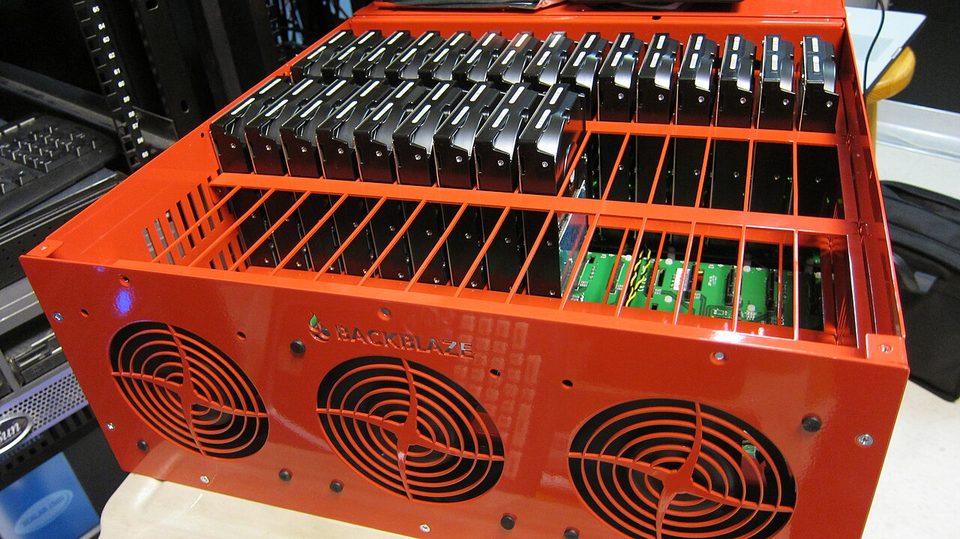
The report email lands at 3:06am every night, subject line announcing that my computer is backed up, and I have read it most mornings for four years, because the night it stops telling the truth is the night that matters. In March it told the truth about a change I hadn't made: the external archive drive had been unplugged for a week, 41,000 files were pending, and the client was sitting there politely failing. Nobody unplugged it on purpose. The vacuum cleaner cord got tangled with a power strip and the drive lost power, and the only thing in my whole stack that noticed was that one email.
I've paid for Backblaze Computer Backup since 2022, on a laptop and a desktop, and it's now $99 a year per computer with yearly billing. Unlimited data, no per-terabyte math, native Mac and Windows clients. This is the consumer product, not B2, the object storage service my NAS actually backs up to. The distinction matters and most people conflate them.
the part everyone gets wrong
People hear "unlimited cloud backup" and picture a cloud drive they can browse like Dropbox. It isn't that. It's a per-computer snapshot service that backs up all user-generated data on the machine and any drives attached to it, by default, with no file-picker marathon, and it wants nothing to do with network shares or NAS volumes. You don't choose folders unless you want to exclude them. The philosophy is that humans are bad at choosing what to save, which is a correct read of every restore request I've ever witnessed.
The second wrong thing: people treat "I have a backup" as the end state. The backup is the input. The restore is the product. Every guarantee in this service is a claim about a night when your drive is dead, and until you've pulled files back through it, you're trusting a landing page. Backups are not real until you have restored from them, and that sentence has done more for my sleep than the service itself.
the mechanics
The client runs in the background at low priority, encrypts everything locally, and uploads continuously. Throttle and threading controls exist so the upload doesn't make the house unusable, which is a design concession to reality that I appreciate. On the wire, the default trust model is this: your data is encrypted with an AES-128 key, and that key is wrapped with 2048-bit RSA keys whose private half Backblaze holds. They can decrypt your files if they choose to, or if compelled. The private key option moves that trust to you: turn it on and the vendor can't read your files or your filenames, and if you lose the key, support can't perform magic. That's the whole trade in one sentence.
Version history is where the ransomware math lives. The default window is 30 days, and a 30-day window is a boundary you will meet exactly once, when ransomware sits undetected for five weeks and every retained version is encrypted too. One-year and forever retention exist for an added fee, and the correct time to decide is before anything goes wrong, not after.
Restores come in three shapes. The client restores files directly. The web restore sends zip files, capped at 500GB per request, which you repeat for bigger archives. And they will mail you a physical drive loaded with your data, with the drive charge refunded when you send it back inside the return window. The mailed drive is the actual disaster recovery product, and everyone forgets it exists until their uplink becomes the bottleneck, which it always does at the moment of maximum stress.
Telemetry, since I always get asked: this service phones home by design, continuously, because that's the product. What it gets is your encrypted blocks, your file metadata in plaintext if you skip the private key, your account email, and your usage. Two-factor authentication exists, TOTP and SMS, and I treat it as mandatory rather than optional, because the account is anchored to an email address and email is the recovery path, which is exactly the shape attackers like.
where it breaks
The first break is the initial upload, and the math is brutal. A 4TB library over a residential Houston cable uplink running 20 Mbps is roughly two to three weeks of continuous upload, assuming nothing interrupts it. Mine took nineteen days, and the client throttled itself politely the entire time. You don't control the calendar. Start the upload the week you set up the machine, not the week after the drive dies.
The second break is scope. No Linux client on the personal plan. No network drives. No NAS volumes, by design, because that's what B2 is for and it prices by the terabyte instead of by the computer. Per-computer licensing also means replacing a machine is an inherit-and-restore dance rather than a checkbox, which is fine every few years and annoying the first time you do it at 11pm.
The third break is restore friction at scale. Zip requests at 500GB each mean a whole-archive pull is a stack of requests and a stack of verification steps. Full admission: I have never once rehearsed the mailed drive path, because every restore I've actually needed has been small. My largest was a 260GB photo library, one zip request, eleven hours to download, most of an evening deciding what to do with my hands while it ran. The drive path is the one I've left untested for four years, and I know exactly what that says about me.
what to do
- Turn on 2FA the day you install, TOTP over SMS, and set a private key if losing these files would actually hurt you. Then store the key with your recovery codes, on paper, somewhere physical. A key you can't produce is a backup you can't open.
- Pick a version history window deliberately. Thirty days is a bet that you'll notice ransomware fast. If that bet feels wrong, pay the fee.
- Rehearse a restore every quarter: one folder, through the web client, timed. It costs twenty minutes and it's the only review of this service that updates.
- Leave the throttle settings alone after the first week, and read the nightly report email instead. It's the only monitoring that has ever caught anything for me.
- Keep the NAS on B2 or on a local target. Computer Backup is for laptops and desktops, and pretending otherwise is how people end up with no backup of the thing they actually care about.
The throttle slider on my settings page has said low priority since 2022 and I have never moved it, on any machine, and the upload has never once made the house unusable.
Set a calendar reminder for the restore rehearsal. Quarterly, like the smoke alarms.