Nicholas TongWD Red Plus 8TB NAS drive
12 / 46
WD Red Plus 8TB: what a NAS drive actually promises
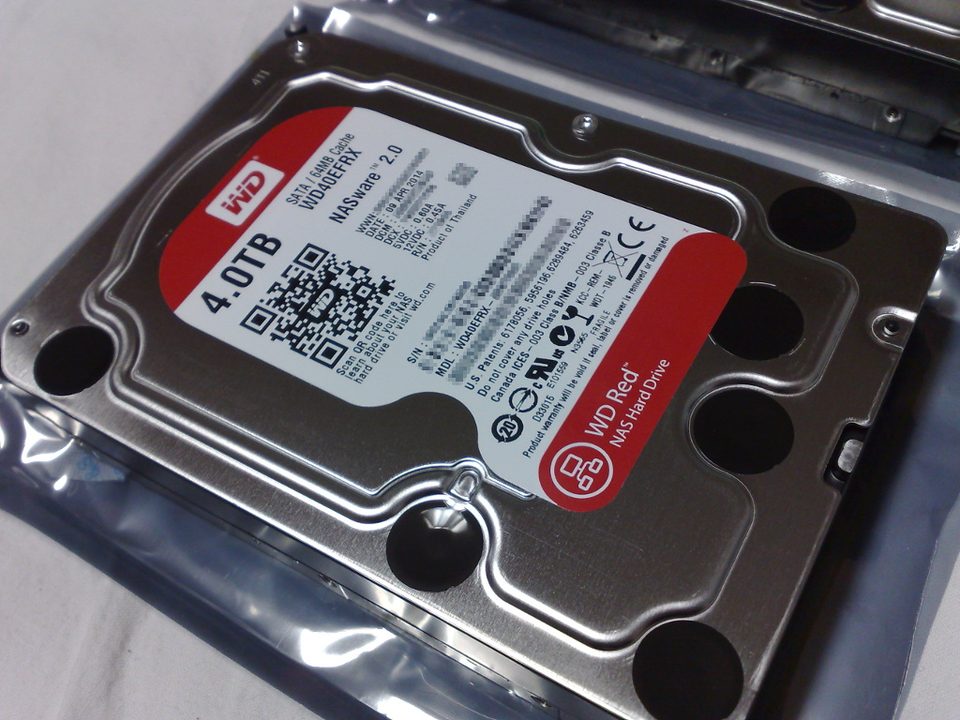
The alert line that ended a Saturday, verbatim from the mail I got at 23:47: 197 Current_Pending_Sector 4. Disk 3, of four red drives in the office NAS. Four pending sectors is nothing, statistically, and also the start of every drive replacement conversation I have ever had, because the question a NAS drive exists to answer isn't "is this disk dying." It's "what happens in the next hour while the array decides."
I've been buying these drives since 2019, in the 4TB and 8TB sizes, and the 8TB is what has gone into every build I've done for the last two years. The SKU on the label now reads WD80EFPX. Tom's Hardware reviewed the original 8TB Red back in February 2018, and the physical design hasn't changed since. What changed is what the label promises, and that's the part worth reviewing.
the part everyone gets wrong
The consensus take is that any drive works in a NAS and the only number that matters is dollars per terabyte. That's true right up until a sector hesitates. Desktop drive firmware, tuned for a computer that will just retry the read, grinds on a marginal sector for as long as it takes, and sometimes that's most of a minute. A RAID controller or a ZFS pool reads a stall like that as a dead disk. It drops the drive from the array. A NAS drive gives up on a bad sector in seconds, on purpose, because the array is the thing designed to recover, and TLER, the time-limited error recovery Western Digital ships on the Red lines, is the mechanism that makes that choice explicit.
People also read "Plus" as a speed tier. It's an honesty tier. Plus is the line where CMR is guaranteed, conventional magnetic recording, the kind where a write is a write and a rebuild doesn't turn pathological. That guarantee exists because of 2020, when buyers discovered some non-Pro Red drives shipped SMR firmware, shingled recording where tracks overlap, without WD saying which models. In a ZFS pool that showed up as rebuilds that crawled and drives that timed out of arrays entirely. WD published a CMR model list after the pressure, the line got renamed so Plus meant CMR, and the class action that followed got settled. I watched that from the MSP side, and it's the reason I check model numbers instead of labels before anything enters a bay.
the mechanics
Numbers first, because they're checkable. 8TB, 5,640 RPM, 256 MB cache, SATA 6 Gb/s, rated for a 180 TB/year workload, supported in up to eight bays, three-year warranty. NASware, WD's NAS firmware layer, handles the error recovery behavior and the rotational vibration compensation that matters when six other drives are spinning next to yours. None of that is exotic. It's a drive engineered to be one of several.
The 5,640 RPM choice is the part people read as slow. It's a trade: lower spindle speed means less heat and less noise, and it sips less power per bay, while the sequential rate still outruns a 1GbE link with room to spare, which is the number that matters in a 2-bay box. In the small office array these drives are, acoustically, furniture.
Telemetry, since I always get asked: the drive has no network stack, no radio, no firmware phone-home. SMART data goes nowhere by itself. The NAS it lives in is the thing that collects it and emails it to you, and that's the component with attack surface, not the disk. Drive firmware is updatable, but nothing I've seen updates it without you running the tool yourself. I want to be careful here, because firmware is where a vendor's bad day lives and I can't audit it any more than you can. What I can do is pick a vendor that published its recording methods under pressure, which is a low bar the 2020 story cleared awkwardly.
where it breaks
The warranty is three years, against five on the Red Pro line, and the Pro drives also spin faster and run hotter, which in a small office box is its own problem. You're choosing a failure surface, not a speed tier.
Rebuild math is the part to respect. A resilver of 8TB takes the better part of a day even on a healthy pool, longer with live traffic on it, and for every hour of that window the array is one more drive failure from gone. This is where the 180 TB/year rating is honest: these are drives designed for multi-user file service, not sustained heavy writes, and I've watched people put them under constant write loads they weren't rated for and then act betrayed by the outcome.
RMA friction is the complaint I hear most from people who run these at scale, and user reviews bear it out: a nontrivial minority report early failures, and the replacement process can turn into weeks without a drive in the bay. The spare on the shelf is not decoration. It's the difference between one dead drive and a degraded weekend, and mine lives on top of the hurricane water jugs in the hall closet, which is a better shelf than the wire rack it used to sit on.
No self-encryption on this SKU, for the record. If you want data at rest encrypted, the NAS does it, which is where key management lives and where you should be thinking about it anyway.
My admission: the last two drives I bought went from the anti-static bag into the array the same evening. No burn-in pass, and the long SMART test I tell everyone else to run never happened either, because I had a window and the build was behind. The three-year warranty is not a test plan, and I knew that when I skipped mine.
what to do
- Buy the same model, from the same shipment, in the quantity your array needs. Mixing pulls and generations means rebuild variance, and mismatched firmware behavior shows up exactly once, at the worst time.
- Burn in every drive before it enters the array. A long SMART test plus a full write pass costs an evening of scheduling and answers questions the warranty never will.
- Turn SMART email alerts on and leave them on. Pending sectors get logged hours before a drive dies, and an alert nobody is subscribed to is a log line, not a warning.
- Check the model number against WD's CMR list before buying anything from this line, old stock included. The label says Red. The model number tells you how it records.
- Keep one tested spare on a shelf, and keep the offsite copy somewhere the array can't reach. Backups are not real until you have restored from them, and the array is a convenience, not a backup.
The Sharpie label on the drive in bay 2 says BAY2, written on the bare metal where nobody can see it while it's installed, including me. It has survived three rebuilds and one move, and it has never once been in the wrong bay.
Run the long SMART test tonight. It's free, and it's the only test that shows up early.