Nicholas TongAugust Wi-Fi Smart Lock (4th generation)
40 / 46
August Wi-Fi Smart Lock: your deadbolt, motorized, with opinions
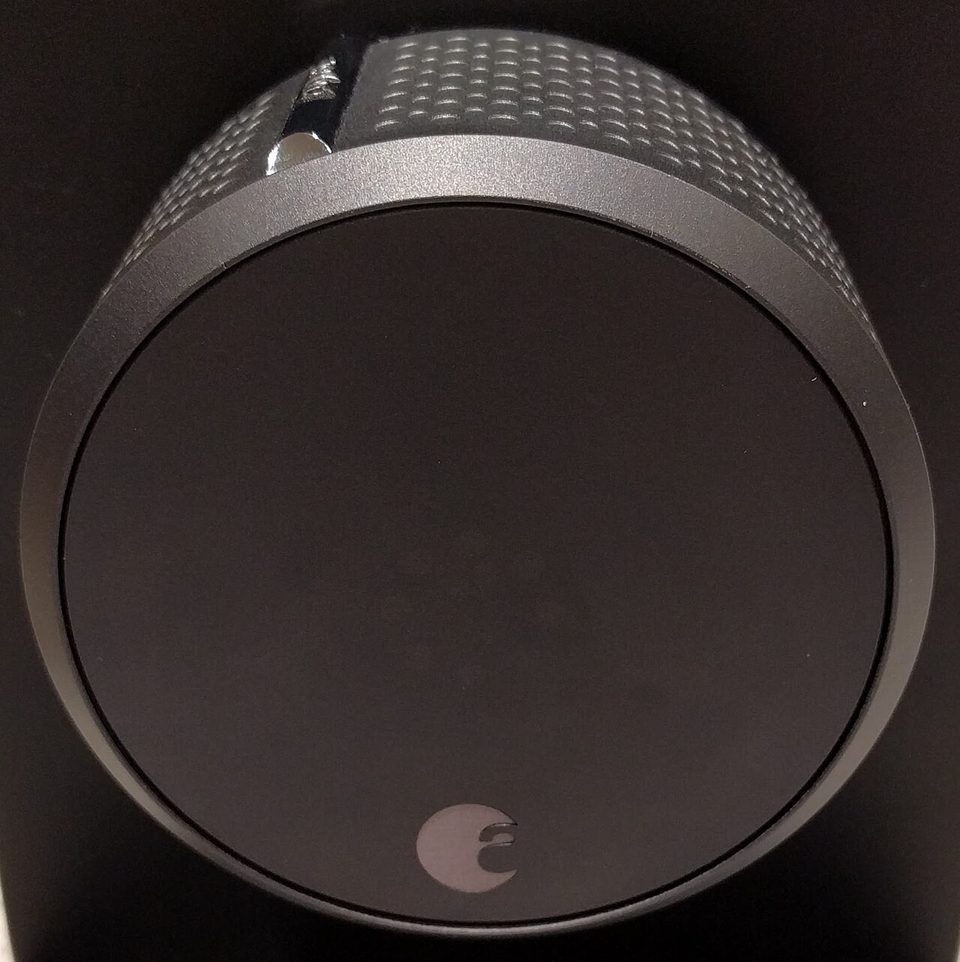
It's 11:20 on a weeknight and I'm standing in the garage in socks, holding a phone, watching the app say "connecting" in the font that has never once delivered good news. The wifi hiccuped for a router update, and the lock behind me has stopped taking orders from the network. So I walk four steps, grab the thumbturn, and twist it by hand, the way every person on earth did this for a century, and it works exactly as well as it always has. That's the first thing to know about this product, and the marketing will never say it: when everything else fails, the best feature is the one from 1930.
What I own: the August Wi-Fi Smart Lock, bought in 2021 for $229.99, which is still the number on August's own page in 2026. It's the fourth-generation design, 45 percent smaller than the Pro it replaced, with wifi built into the can so there's no separate hub. It sits entirely on the inside of the door: your exterior hardware, your key, all unchanged. CNET's October 2021 review called it their favorite smart lock, and five years of mine mostly agrees, with costs it didn't count in hours.
the part everyone gets wrong
The wrong read is that you're buying a lock. Look at the door: the deadbolt you already owned is doing the actual security work, and the product bolted over its inside thumbturn is a small robot that turns that deadbolt when told. The security of your door did not change. What changed is who can operate it, from where, and how the door tells you about itself. If the deadbolt is a $15 builder-grade throw in a door that flexes, the smart layer adds remote control of a weak thing. Nobody's listing says this, because "make sure your door was secure before you automate it" isn't a feature.
The second wrong read is treating built-in wifi as a free upgrade over the hub-and-radio generation. The radio lives in the lock, on batteries, and the batteries are where the design bills you. I'll do that math below, because it's the number I wish someone had shown me at checkout.
the mechanics
Installation is fifteen minutes with a screwdriver if your door cooperates, and an afternoon if it doesn't. The lock clamps to the inside of the door, an adapter grabs your existing thumbturn, a tailpiece engages the deadbolt's cam, and then the app calibrates: the motor runs the bolt in and out and learns its limits. DoorSense is a contact sensor, a magnet on the frame and a reader in the lock, so the system knows door-open from door-closed. My door needed its strike plate moved a sixteenth of an inch first, a normal amount of argument for a 1990s door in Gulf Coast humidity.
Once it's talking, the feature set is the good version of the category. Auto-lock throws the bolt after a chosen interval, ten seconds to half an hour, which has silently saved me more times than the log will ever prove. The app keeps a timeline of every event: locked by auto-lock, unlocked by Nicholas, unlocked by a named guest at a specific time. Guest access is the quiet killer feature: virtual keys with expiration dates, so the cleaner had a key that died at 6pm Saturday and nobody copied anything at a hardware store. HomeKit, Alexa, and Google all work, and the HomeKit path keeps the unlock inside Apple's encryption envelope.
Then the batteries. CR123A cells, the lithium ones from the camera counter, and the clerk at the photo shop on Bellaire asked if I still shoot film. I don't. The lock eats them: August says up to three months, real-world reports run shorter with the wifi radio active, and one long-term tally I found had four sets of cells in fourteen months. Budget it as a subscription you pay in hardware-store trips, about $35 a year.
where it breaks
The first break is the battery curve, and it's shaped wrong. The lock doesn't die suddenly, which would at least be honest; instead the remote features get flaky first as the cells fade, the app's state starts lagging reality, and the fuel gauge reports optimism. You find out the wifi side is dying before the mechanical side is, which is exactly backwards from what you want: the notification system fails before the door does.
The second break is alignment, and it's the one that cost me. A deadbolt has to fully throw to be locked, and a Gulf Coast door that swells in August will hang a bolt mid-throw. The motor retries, the app reports locked, and the bolt isn't fully in. My admission: for two days in 2023 my side door sat in exactly that state, the app green and confident, because the strike plate had shifted and the auto-lock's retries gave up against a hung bolt. I found it because I went to the hardware store for foam tape and my hands remembered the door's feel on the way out. Two days, a door the app called locked, and the log had been lying politely the whole time. I now test the throw by hand after any strike-plate adjustment, and the app's green means nothing I'd swear to.
The third break is the control plane, and here I want to be careful, because the rumor version of this is a bad take. In 2020, researchers disclosed weaknesses in the pairing between the August app and the lock's Bluetooth path, and August patched; I'm not going to tell you the lock on my door today is vulnerable, because I can't verify that and won't pretend to. The structural point survives regardless: the lock is a device with a wifi radio, an account, and a firmware channel, and it belongs on the IoT VLAN with everything else that has those three things. Remote control means remote attack surface, and a door is the one device in your house where "temporarily unresponsive" is a different category of bad.
Auto-unlock is where I'd point the skepticism directly. It's the feature where your phone's GPS decides your door should open as you approach, and I ran it for one month in 2021 before standing in an airport parking lot watching my phone decide it wasn't sure where it was, my wife's phone disagreeing, and the front door state unresolved from 1,400 miles away. Nothing happened. The house was fine. I turned it off at the curb and have never turned it back on, and I'll note that this is the feature half the reviews lead with. Also the guest keys: my mother-in-law's code expired at midnight on the dot, by design, and she was at the door at 12:07. That's the system working correctly, which is a sentence with a cost in it.
what to do
- Check the deadbolt and the door before you buy anything. Tight strike plate, full throw, no flex. You're automating a physical thing; its physical state is the security.
- Turn auto-unlock off unless you've consciously decided geofence risk is worth it. Auto-lock, on the other hand, is the feature I'd enable first.
- After install or any strike-plate adjustment, pull the door toward its frame while the motor locks and watch for a hung bolt. Thirty seconds. It's the test I learned two days late.
- Unique password, MFA on the account, lock on the IoT VLAN, firmware checked quarterly on your schedule.
- Two spare CR123As in the drawer and a calendar reminder at ten weeks. The low-battery email is the first feature to get flaky, not the last warning you'll get.
The lock still clicks itself at ten seconds past every closing, five years in, and the app's log reads like a polite diary of a door that behaved. My wife still checks it with two twists by hand anyway, learned from her mother, and the two of them are right.
The deadbolt was never the problem. The door is a story the app tells you about the deadbolt.