Nicholas TongAnker 555 USB-C Hub (8-in-1)
32 / 46
Anker 555 USB-C hub: the dongle is a small computer
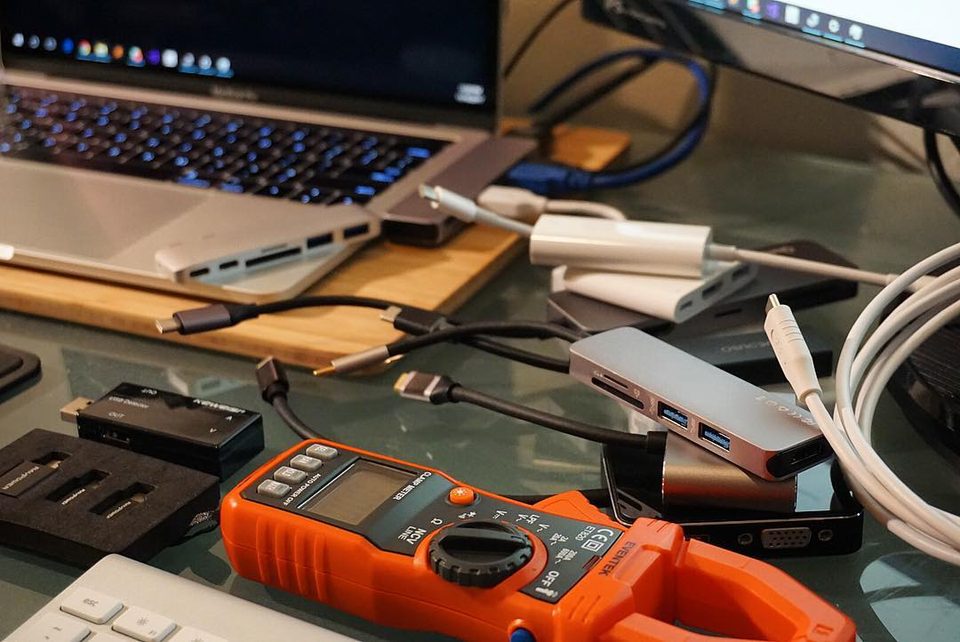
The first time I plugged this hub into a client's MacBook, macOS popped a dialog asking whether I wanted to join a new network. Not the hotel wifi. A new network, created by a $80 piece of plastic with no fan, no logo screen, and no documentation beyond a welcome card. That dialog is the most honest thing this product will ever tell you: inside the box there is a computer, and one of its parts is a network interface.
What the 555 (model A8383, sold early on as the PowerExpand 8-in-1) actually is: a hub about 4.8 by 2.2 inches and barely half an inch thick, with an attached six-inch host cord stiff enough to stand the thing upright like a tiny billboard. Into one USB-C port on your laptop it packs HDMI at 4K and 60Hz, two USB-A ports and one USB-C port rated at 10Gbps each, gigabit Ethernet, an SD and a microSD slot, and a 100-watt power input that passes 85 watts through to the laptop, keeping about 15 for itself. Fstoppers reviewed it in August 2022 against a photographer's real workflow and found it kept up everywhere, including the advertised gigabit on the Ethernet port. Anker's own page confirms the port list. It's a travel hub, and at launch price of $80 it was the easy answer for creatives who needed HDMI and wired networking in the same bag pocket.
the part everyone gets wrong
The wrong read is that a hub is a cable. It isn't. A hub is a small computer with a power contract and a network identity, and people carry them into the exact environments where those two facts matter most: hotel desks, client conference rooms, airport lounges. The hub negotiates power with your laptop through the only port your laptop might have, and it presents an Ethernet MAC to your operating system that your OS will treat as a trusted local network the moment you click accept.
Here's the thing that surprises people when I say it at work: this is the secure case, not the scary one. Because the 555 is plain USB-C with no Thunderbolt, there's no direct memory access path from the hub into your machine. The realistic attack surface is smaller than a Thunderbolt dock's. It's the NIC and the power path, which is exactly why I treat the NIC as untrusted and never click that dialog at a conference without looking at what I'm joining. No DMA means fewer nightmares. Not zero. The NIC is still a network device, and a long-running reviewer who tested the 555's earlier PowerExpand branding noted there's no Thunderbolt support and, more importantly for my line of work, no firmware update mechanism mentioned anywhere at all. Whatever silicon handles that Ethernet port has the bugs it shipped with, forever.
the mechanics
The port layout is thoughtful. USB-A pair and both card slots on one side, power-in, USB-C data, and HDMI on the other, Ethernet at the end, each port labeled in small black type. The card readers top out around 104 MB/s because they're UHS-I, which is fine for offloading a shoot and slow for anything modern. HDMI does 4K at 60Hz, which most travel hubs of that generation capped at 30, and that difference is the reason people put up with the rest.
Power is the part I want you to actually do the math on. 100 watts in, 15 for the hub, 85 out. A 13-inch laptop sips that fine. A 16-inch workstation at full load wants more than 85, so under sustained render or compile the battery drains anyway while plugged in, slowly, which confuses people who trust the icon. The hub ships with neither the power adapter nor the USB-C cable you need to make any of this work. Bring your own, and make it a good cable, because the power path runs through it.
where it breaks
The heat is the documented one. Amazon reviews of the 555 carry a steady run of overheating complaints, enough that a PSA thread on a laptop-maker's subreddit in late 2024 warned buyers off it, and the mechanism isn't mysterious: push 85 watts of pass-through charging while reading cards and driving a display at the same time, in a sealed plastic shell with no vents, and the chassis gets uncomfortably warm. Mine idles warm and gets hot when the power draw is sustained. It has never throttled or dropped a connection on me, but I also don't stack the worst-case load, and I wouldn't leave it charging under a pillow, or honestly under anything.
The second break is the 10Gbps marketing. The same reviewer who liked the hub measured an NVMe drive at about 500 to 600 MB/s through it, hard-capped around 5Gbps, half the label. It's still fast. It's just not the number printed on the box, and the cap appeared to be in the hub, not the drive.
The third break is generic: you can buy a hub with the same port count for half the price if you don't care about brand or the 10Gbps silicon. My admission cuts the other way. I spent two years telling juniors to buy the cheapest hub with the ports they needed, then sat in a terminal lobby in Denver watching a $14 no-name hub renegotiate power delivery every ninety seconds on a colleague's only USB-C port until the machine charged at a trickle. The repair quote bought about ten Ankers. I was wrong about what the brand premium was for; it's mostly for the power path, and I'll pay it on the port that can't be replaced.
Minor and worth saying: the housing is slick plastic with no rubber feet, so it slides across a desk under cable tension. Four and a half ounces of anything will wander. It also has no status readout beyond one small white light, so you'll troubleshoot heat and link speed by feel.
what to do
- Buy it from Anker or a first-party retailer, not a marketplace listing at a discount that doesn't exist anywhere else. Counterfeit hubs exist, and the fake ones are exactly the devices you're handing your laptop's power negotiation to.
- When the network dialog appears, treat the hub's NIC like an unknown access point. If you don't need wired networking, disable the interface. If you do, join it deliberately and know which network it bridges you into.
- Don't stack worst-case loads: pass-through charging plus card offload plus a 4K display is the configuration the overheating reviews describe, and it's avoidable by plugging the charger into the wall for long renders.
- Assume the 10Gbps ports deliver 5. Plan transfers around that and you'll never be disappointed.
- If the job is a permanent desk instead of a bag, this is the wrong tool. Get a powered dock. Hubs are for travel; the distinction isn't marketing, it's power.
The hub lives in my laptop bag's front pocket now, next to a spare USB-C cable and a card reader I no longer need. Its white light comes on the moment it wakes up, a small pale dot on the desk at whatever hotel this is.
It's a computer. Feed it good power.