Ryan CobblerUpdraftPlus Premium
UpdraftPlus fixed one site without rolling back the other eight
I ran my own backups wrong for a year. Not wrong like they failed. Wrong like they would have worked too well, and taken eight good websites down with the one broken one.
When I moved nine client sites onto one Hetzner box, I turned on Hetzner's own backups and felt smart about it. Those backups are snapshots of the whole server. Restore one, and you don't get a website back. You get the entire machine back, all ten sites on it, rewound to 3am. I saw that in the docs the same week I moved everything, before I ever needed a restore. That's the day I bought UpdraftPlus Premium. Here's why it earned the $95.
The Friday at the diner
A Friday that fall, 10:15 in the morning. I pushed the week's plugin updates at LuAnn's site like I do every Friday. One routine update killed her specials page. White screen. Her lunch rush starts at 11:30, and that white page is where the daily specials live, the thing her customers photograph and text around.
Old me would have restored the Hetzner backup. Her site would have come back. So would eight other sites, rolled back a day, because that restore is the whole machine. The bowling alley's standings, the dentist's hours, all of it reset to fix one diner. Lunch rush on eight websites, over one broken template.
New me opened her dashboard, went to UpdraftPlus, and restored just her site from the night before. It took about twenty minutes. The other eight never blinked. LuAnn asked me one question on the phone: "So it's back like it was this morning?" It was back like it was that morning. That's the whole product.
What it costs
- Personal, $70 a year, covers 2 sites. Fine for one site plus a practice copy.
- Business, $95 a year, covers 10 sites. This is my plan: nine clients plus my own blog, $9.50 a site.
- Agency, $145 a year, covers 35 sites. That's the one if you do this for a living.
- Enterprise, $195 a year, unlimited. Gold, $399, adds 50GB of their storage and a central dashboard. I don't need either.
Every plan includes 1GB of UpdraftVault storage. Plans auto-renew, and there's a 10-day money-back guarantee if you change your mind. One detail I respect: if you cancel, the plugin keeps working. You just stop getting updates and support. They're not holding your backups hostage, because the backups were never theirs. They live wherever you point the plugin.
Hers go offsite, not just onto the same machine. A backup stored on the server it's protecting is one dead drive away from gone. I point hers at a cheap storage bucket and mine at my own box's second disk. The offsite copies cost me pennies a month at her site's size.
The stop valve version
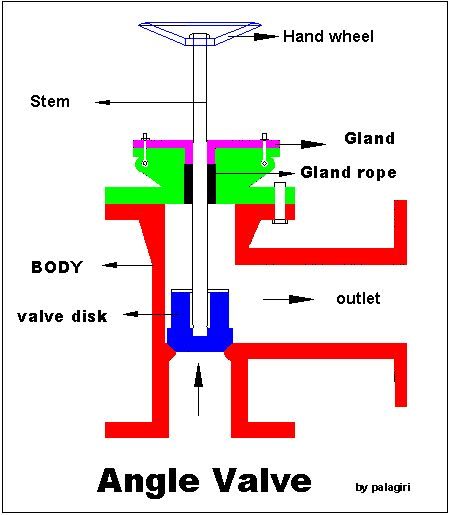
Hetzner's server backup is the main shutoff on the house. Twist it and everything goes dark, cold showers included. UpdraftPlus is the stop valve under each sink. The kitchen faucet drips, you close the one valve under the sink, and the shower keeps running. I had built a house with no stop valves. Now every site has one.
What will annoy you
The free version of UpdraftPlus does most of this. If you run one site, start free and stay free, no hard feelings. What the $95 buys me is the license for ten sites, migration tools, automatic backups before updates, and a support line that answered both tickets I've filed the same day.
Their extra storage is pricey. Trustpilot sits at 4.8 across thousands of reviews, and "storage costs too much" is the most common gripe in there. Skip theirs. Point the plugin at storage you already pay for. On cheap shared hosting, big backups can also time out mid-run, which the plugin fights by resuming, but slowly. Mine run at 3am on a server I control. That's the whole design.
One warning from scar tissue, and it's mine. A backup you have never restored is a rumor. I test a restore twice a year, on purpose, on my calendar. That Friday counted as one of them. The tally for the morning: twenty minutes, zero other sites touched, and the $95 already spent before I needed it.
What to do Monday
Find out where your website's backups actually live. Not where you hope they live. If the answer is "the host does it," ask what a restore brings back, one site or the whole server, and who you call at 10am on a Friday. Write both answers on the same sticky note. You'll want them on the day you need them.