Ryan CobblerRicoh ScanSnap iX2500
ScanSnap ate the shoeboxes at the tax office
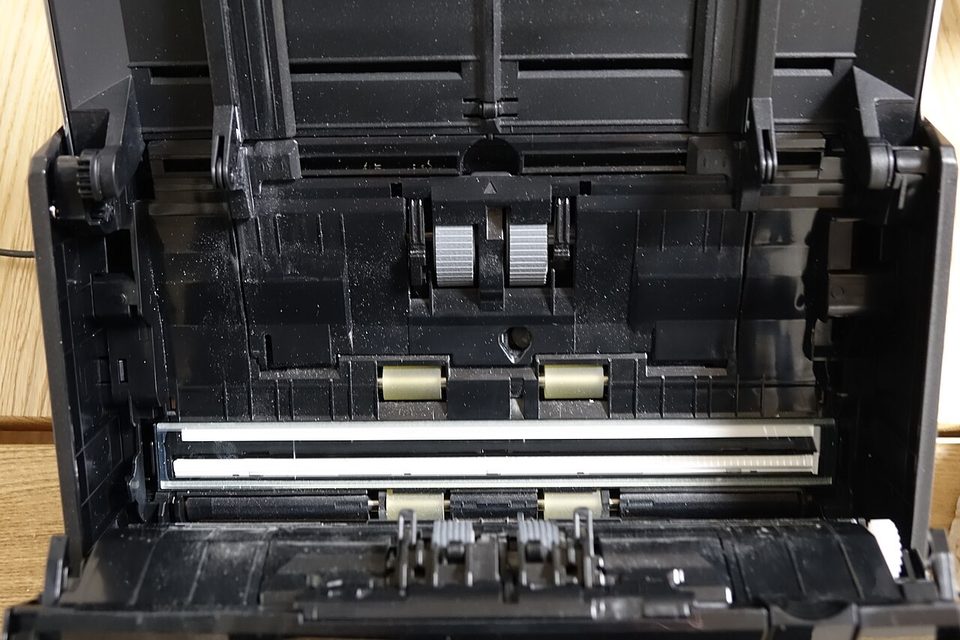
Every February, Carol keeps a folding table by the front window at Brubaker Tax Service. Clients walk in with shoeboxes and grocery bags full of W-2s, 1099s, and receipts, and hand them over like a kid getting dropped off at school. For years the office scanned all that paper one page at a time on the copier's flatbed. Lift the lid, lay the page, press the button, wait for the lamp. Lift, lay, press, wait. A shoebox took a whole morning.
So here's the thing. A copier is a lousy scanner, and a flatbed is the slowest possible way to empty a shoebox. In February I bought a Ricoh ScanSnap iX2500 on my own card, billed it back to the office, and the folding table by the window is just a folding table now. One-time price. No monthly bill.
What it is and what it costs
The iX2500 is Ricoh's current flagship desktop ScanSnap. Fujitsu built these first, then the scanner arm became Ricoh. I don't care whose logo is on it. The boxes all look the same, and this one looks like the last four I've owned.
Numbers, from Ricoh's own page and a PCMag review from August 2025: 45 pages a minute, 90 images a minute because it does both sides at once. A feeder that holds 100 sheets. A 5-inch touchscreen, Wi-Fi or USB-C, and software called ScanSnap Home that's a free download. There is no subscription in this product anywhere. You buy the box and it's yours. In 2026 that's worth saying twice.
Street price runs about $379 to $460 depending on the week. Amazon had it at $379 when I checked, Walmart $390, Newegg $399.99, CDW $459.99. List is $596, which nobody pays. I paid about $400 with tax and billed it back to Carol's office on the next invoice, same as I do with everything. If it lasts five years, and the previous ScanSnaps I've run did, that's about $80 a year. Not $80 a month. A year.
What we actually set up
Numbered, because Carol printed this list and taped it inside the supply cabinet.
- Asked Carol one question before anything else: what she has to keep, and where she keeps it. Seven years for most client paper, on an encrypted drive her tax software guy set up. I wrote that down and built around it. What she keeps is her call, not mine.
- Unboxed it, plugged it into the wall outlet by the copier, and joined it to the office Wi-Fi. Setup took about fifteen minutes, most of that waiting on the software download.
- Made one scan profile per client folder. You touch the screen, pick the client, press go, and the file lands in the right folder with the right name. I set the naming rules in March, when my head was clear, and nobody has touched them since.
- Ran the first shoebox as the test. Receipts, tape, a couple of staples, all of it. The machine caught one double feed with a beep, backed up, and waited for me. Nothing got skipped.
- Left the copier for copies. That's all it was ever good at anyway.
The touchscreen turned out to be the part that matters. Carol picked it up in a day, and the part-timer she hires for February picks a profile off the screen without me in the building. Ricoh shipped a firmware update in January called ScanSnap Go, where you hold your phone near the scanner and it loads your own settings. I have not needed that with an office of two. I get the point, though, for anybody bigger.
What will annoy you
There's no TWAIN driver. If your office runs some old document system that demands one, this scanner shrugs at it. ScanSnap talks to ScanSnap and that's the whole list. For a tax office, the included software is fine. For a law office, check your software before you spend the $400.
It's also a $400 pile of plastic with a motor in it, and I've watched the older models die around year six or seven, usually the feed rollers. Clean the rollers with a coffee filter and rubbing alcohol a couple times a season. Mine has eaten a few thousand pages so far without a complaint.
The pellet stove version
The feeder is the hopper on a pellet stove. You don't stand there feeding logs one at a time. You fill the hopper with fifty pounds, set the thermostat, and go watch TV. The iX2500's hopper holds a hundred sheets. Fill it, press the profile, walk away. The flatbed was a fireplace with one log and a book of matches.
What to do Monday
Go look at wherever paper piles up in your business. If somebody there feeds pages one at a time under a flatbed lid, time one ordinary morning and write down the minutes. Then price a real sheet-feeder scanner against that pile, and make sure the price you find is one-time, not monthly. Most paper has no business becoming a subscription.