Ryan CobblerCalendly
Calendly: the end of phone tag at the tax office
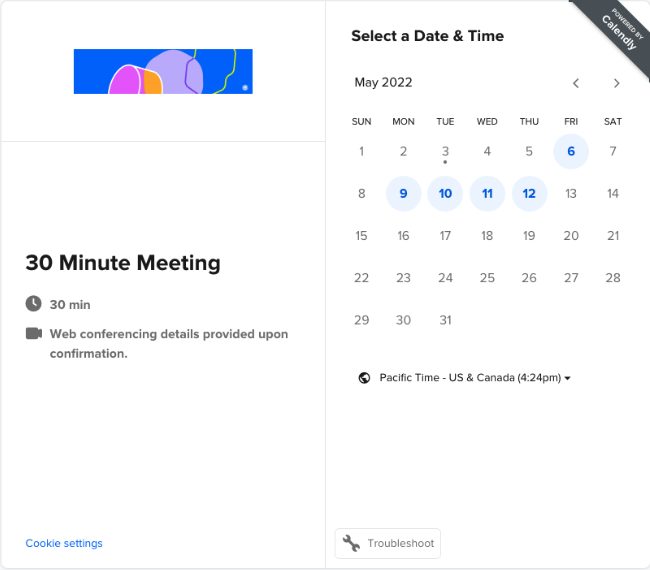
For two years my own booking process was a sticky note on my monitor. It said CALL ME BACK in three colors of ink. A client would email, I would email back, they would reply two days later, and eventually we would agree on a time. I build websites for a living. I know. It was embarrassing.
Here's the thing I finally fixed. Appointment scheduling software puts your open hours on a page and lets the customer pick one. That is the entire product. The booking lands on your calendar, both of you get a reminder, and nobody calls anybody to find out when you're free.
Last January Carol at Brubaker Tax Service found out why that matters. Her receptionist works mornings only, and the front phone rings off the wall from January 15 through April. Every "can we move my appointment to Wednesday" call interrupted somebody's tax prep. Carol emailed me the same week. She asked if the thing on my contact page could go on hers.
What it costs
From their pricing page, which I checked this month, and I pay this bill myself.
- Free plan: one event type and one calendar connection. If you book one kind of appointment, the free plan is actually usable. It is not a demo.
- Standard: $12 a seat monthly, $10 a seat billed yearly. Unlimited event types, confirmation emails, reminders, routing forms.
- Teams: $20 a seat monthly, $16 billed yearly. Round-robin and pooled scheduling. That is the tier you need when two people do the same job and either one can take it.
- Enterprise: starts at $15,000 a year with 50 seats. Not for us. Not for you either, probably.
I pay Standard on the annual plan, $10 a month, $120 a year, one seat. The seat is for the person being booked. Customers who book you pay nothing and never create an account. That distinction confuses everybody at first, so let me say it plain. One seat covers you. Your customers just click.
How it went in at the tax office
Numbered, because the order saves you a redo.
- Sat with Carol and wrote down the two kinds of appointments she actually books. Tax review, thirty minutes. Document drop-off, fifteen. Everything else was us inventing categories.
- Built those two event types on the Standard plan and set her office hours. Calendly reads her Google calendar, so anything already on it blocks a slot on its own.
- Added a 15 minute buffer before and after each appointment. Carol asked for that herself. Back to back tax reviews were wearing her out.
- Put the link on her contact page and in her email signature. Two places, both free, both where her clients already look.
- Turned on the 24 hour reminder. That one setting cut her no-shows to almost nothing by mid February.
Total setup: an evening, most of it spent picking colors for the booking button. Ongoing: $120 a year on my side. Carol pays me nothing for it. Her receptionist got her mornings back, and the move-my-appointment calls basically stopped.
Where it annoys me
Spam bookings are the big one, and the review sites say the same. Bots find public booking pages and fill slots for sport. Carol got six fake bookings the first week, all from one afternoon. The fix is the CAPTCHA toggle in the event settings, which is on by default now but check it anyway.
The free plan's single event type pinches harder than it sounds. One event type means one length of time. The moment your business books a second kind of appointment, you are on Standard. And the monthly billing is 20 percent more than annual, which is a quiet tax on people who are scared to commit for a year.
Support is email on my tier. I have needed it once, over a calendar sync that dropped, and the answer came the next morning. Fine. Not a lifeline.
The thermostat version
I explain this one with a programmable thermostat. You set the program once, Tuesday through Sunday, and the house follows it without you touching anything. A booking page is the same machine for your day. You program your hours once. Then it holds the schedule on its own, and you stop running to the wall every time the temperature changes. Phone tag is you standing at the thermostat all day, turning it up and down by hand.
What to do Monday
Open the free Calendly account and build one event type. Thirty minutes, whatever your most common meeting is. Then put the booking link in your email signature. That's it. That is the whole Monday, and it costs nothing until your booking needs grow a second shape.