Nicholas TongTP-Link Deco XE75 mesh
28 / 46
the dead zone behind the rice cookers
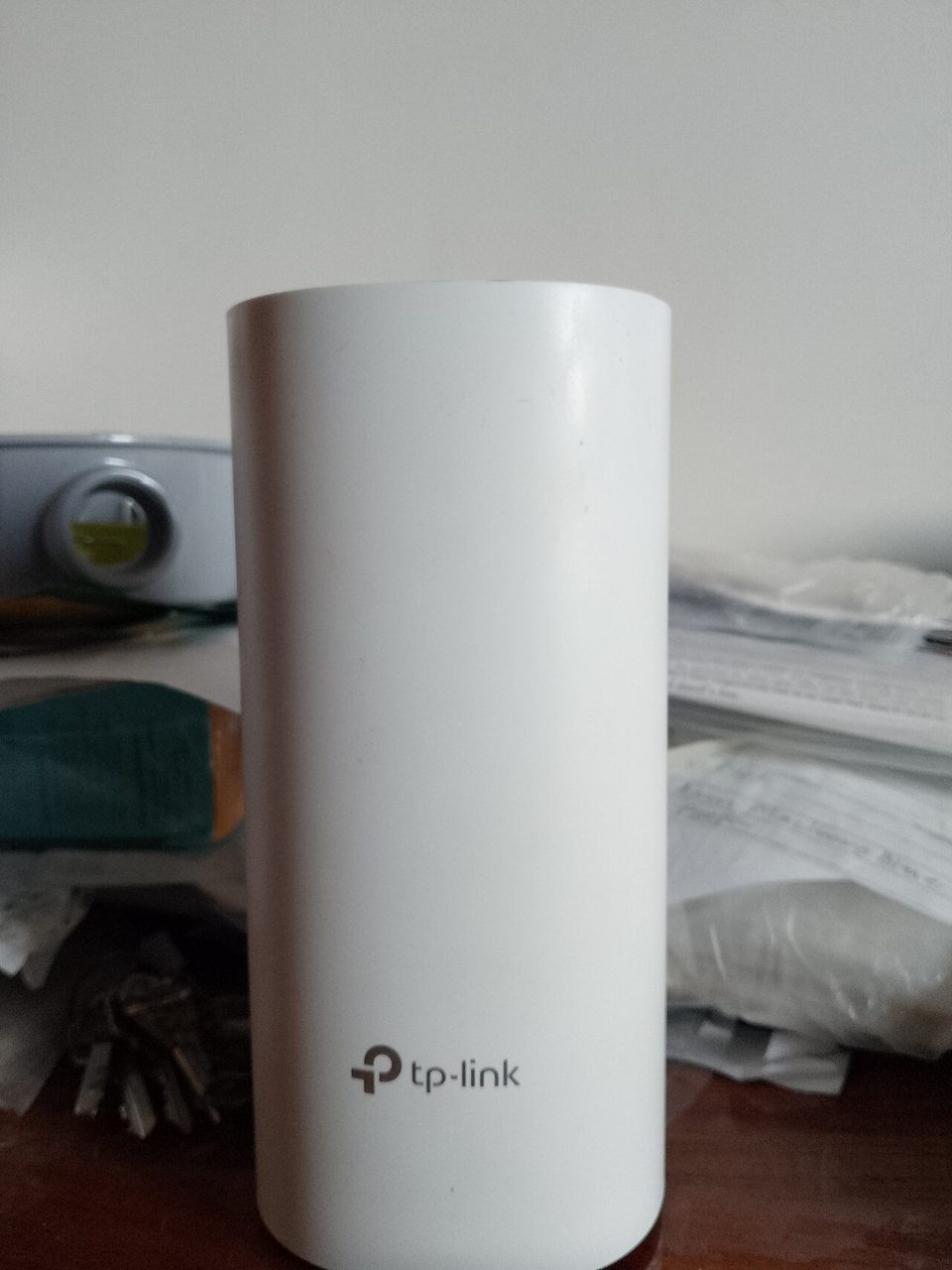
My aunt's shop on Bellaire had a dead zone exactly where they stacked the rice cookers, and the register sat inside it. Wi-Fi died at the stockroom door. Every few weeks somebody would reboot the old router, the signal would crawl back for a day, and then the metal shelving would eat it again. In March I brought home a two-pack of Deco XE75 nodes, put one behind the counter and one past the shelving, and the dead zone stopped existing in about twenty minutes. The part I want to talk about is everything that came along with those twenty minutes.
The Deco XE75 is TP-Link's budget Wi-Fi 6E mesh: tri-band, rated AXE5400, three Ethernet ports per node, no USB, and a 6GHz band it borrows for backhaul whenever it can. TP-Link listed the two-pack at $299 at launch in 2022 and street prices have run between $160 and $230 through the years since, which is the honest reason it sells. I ended up buying a third node, because the square footage number on the box said two and the building disagreed, which puts my total past the line where I should say: this is not a purchase recommendation. I paid for the whole thing myself.
the part everyone gets wrong
People buy mesh for the coverage number, the one printed on the box that says this handles 7,200 square feet, and they treat it like one big router. Mesh is not more Wi-Fi. Mesh is more radios, and the interesting question is how those radios talk to each other. On the XE75 the answer is: usually over 6GHz, a band with enormous bandwidth and the range of a polite whisper. When the nodes are close, the system flies. When they are far, the 6GHz link thins out and every device behind it pays.
Tom's Guide measured it, and their numbers match what the shop taught me: over a gigabit at fifteen feet, and about 299Mbps at fifty, because the 6GHz transmissions give up quickly with distance and drywall. The marketing number is real. It is real at fifteen feet. Your house is not fifteen feet long.
The second thing people get wrong is the software. The Deco app is genuinely the easiest setup experience in consumer networking, and it is built around a TP-Link cloud account, which means your network's client list, its topology, and its update state live in somebody's cloud as part of the standard flow. Local control exists. The account is the default path, and defaults win.
the mechanics
Each node is a plain white cylinder, no antennas, no ports beyond the three Ethernet jacks, and a status light that pulses blue like a nightlight. One node plugs into the modem. The rest find it. That is the whole install, and it took me twenty minutes at the shop, including the time I spent talking my aunt through the app icon she needed to see.
Under the hood: AXE5400 class, which TP-Link sums up as 574Mbps on 2.4GHz plus 2.4Gbps shared across the 5GHz and 6GHz bands, four amplified antennas per node, and band steering that hands devices to the best radio it can find. The app does guest networks, device profiles, parental controls, and an IoT network option that puts your cameras and plugs on their own segment, which is the single best security feature in the box and buried two menus deep.
Then there is HomeShield, TP-Link's security suite: network scans, intrusion reports, parental controls. The free tier works. The app asks about HomeShield Pro roughly the way a grocery checkout asks about the membership card, every time, $54.99 a year, with the paid tier buying real-time protection and IoT security features. I ran the trial, read what the Pro tier actually does, and let it lapse. My firewall, which I built and have written about, does that job already, and it does not renew annually.
where it breaks
The ports. Three Ethernet jacks per node, gigabit, no USB, no 2.5G. For a shop that needs one register, one camera recorder, and a printer, that is fine. The moment you want to wire the backhaul, and wired backhaul is the single best upgrade you can make to any mesh, you discover the third port is the WAN port, so a wired node has two LAN ports left, and one of them is the printer. Plan for a small switch.
Then the account. Remote management, the app, the notifications, all of it flows through TP-Link's cloud, and there is a reason I am careful here: in late 2024, reporting and a government review put TP-Link's routers under real scrutiny in the US, and whatever comes of it, the shape of the question is the one I keep raising in these reviews. The device that sees every device should not be the device that calls home the most. Local management exists in the app's settings, the data collection toggles are there to turn off, and you have to go turn them off, which is the point.
And the boring one: no VLAN tagging in the app. The IoT network feature segments your devices in the mesh's own way, which is enough for most houses and not the same thing as a real VLAN, and the moment you need a segment that talks to one thing and nothing else, you are outside what the app can express. I got this wrong for a week: I assumed the IoT network would do isolation the way my firewall does. It does not. It does something blunter, and blunter was fine at the shop.
what to do
- Put a node within a room or two of the other nodes. The 6GHz backhaul is why you bought this; do not starve it.
- Wire the backhaul if you can, and budget for the switch, because the ports are the system's real limit.
- Turn the IoT network on and move the cameras, the plugs, and everything with a microphone into it. Two menus deep is not an excuse.
- Decline the HomeShield Pro upsell until you can name the feature you would miss.
- Set an update reminder. Firmware updates on the Deco line arrive through the app, which means they arrive when the app feels like it.
The dead zone behind the rice cookers is gone, the register has not dropped since March, and my aunt now believes Wi-Fi is a solved problem, which is the nicest thing a mesh system can do for a family. The app still asks about the membership card.
Count your devices tonight and see how many share a network with your laptop. The cameras already know the answer.