Nicholas TongYubiKey 5 NFC
01 / 46
YubiKey 5 NFC: boring on purpose
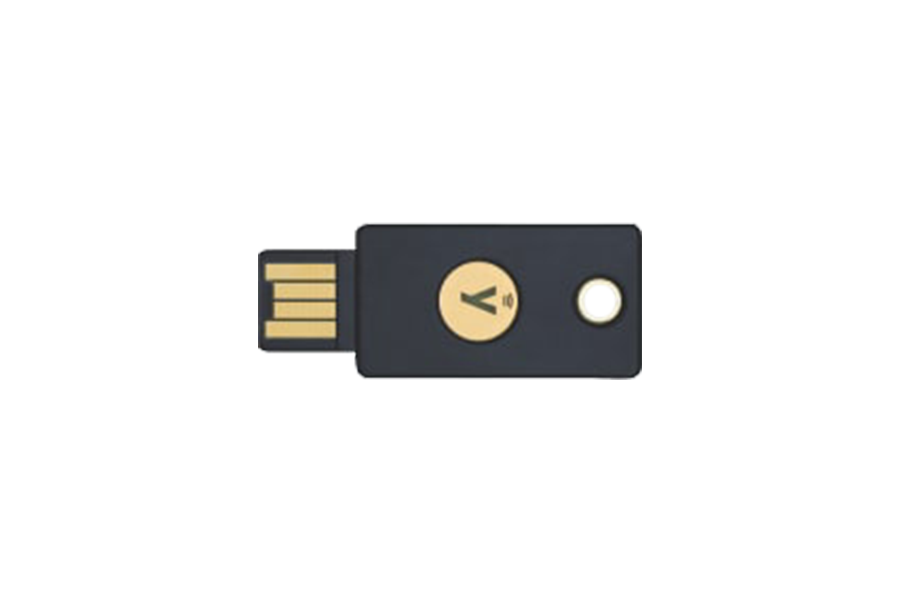
Somewhere in a ticketing system I no longer have access to, there is a ticket from March 2016 that says, in full: "user locked out, forgot password, forgot security answers, please advise." I was twenty, four months on the helpdesk bench at a Houston MSP, and I reset that account in nine minutes, because the only verification was the user's own phone number. That account never got hacked. It got helped.
I've carried a YubiKey 5 NFC for close to three years. It was $58 direct from Yubico when I bought mine, and they ship it on firmware 5.8 now. It's the least exciting thing on my keyring and the thing I'd grab first if the apartment caught fire, which is a sentence I didn't expect to write about a 3 gram piece of plastic.
the part everyone gets wrong
People treat a security key like a magic shield. It's not a shield. It's a specific bet: that phishing works because a person can be talked into typing a secret somewhere, and that a secret you cannot type is a secret you cannot leak.
Here's the thing. A YubiKey doesn't know your password and doesn't open anything by itself. What it does under WebAuthn, the protocol most sites use now, is sign a challenge bound to the exact website origin, the domain, that it was registered on. A page that looks like GitHub but lives at github-login.example.ru gets a signature GitHub would reject, and the key won't sign for the wrong origin at all. The credential never leaves the device. There is no shared secret for a database dump to carry off.
That's the whole trick. Not magic, just origin binding, enforced in hardware where a convincing page can't talk it out of it.
Everyone also gets the count wrong. One key is a liability, because keys get lost, sit through washing machines, stay in jeans through the dryer. Mine survived the dryer twice and a trip through airport security in a jacket pocket. You need two of them, enrolled everywhere, one on the ring and one in a drawer.
the mechanics
The 5 NFC is a multi-protocol token: FIDO2/WebAuthn, FIDO U2F, smart card over PIV, OpenPGP, OATH one-time codes, and Yubico's own OTP format. Most people will use exactly one of those, WebAuthn, and the rest are there for people who run their own certificate authorities for fun. I've used PIV for SSH keys and OpenPGP for signing on my own machines and regret neither, but I wouldn't tell a newcomer to start there.
Two things matter about the hardware. The secure element holds the credentials, and the firmware is hard-locked at manufacture. It does not update. Ever. Yubico can't push a fix to your key, and an attacker can't either. In 2021 they disclosed a real bug in ECC key generation on older 5-series firmware, and the remediation for affected users was, bluntly, a replacement key, because there is no patch path. That's the right trade for a device whose whole job is being impossible to modify remotely, and it's a trade worth understanding before you buy.
Telemetry: the key has no battery, no radio beyond passive NFC, and no network stack. WebAuthn sends nothing to Yubico. But Yubico OTP, the legacy mode, validates against Yubico's own cloud service, YubiCloud, so that one mode phones home to a third party by design. I leave it disabled. Yubico Authenticator, the app that reads OATH codes off the key, checks for updates over the network like every other app, which is normal and still worth knowing.
where it breaks
In practice the failure mode is not the key. It's the recovery flow you protect with the key. Attackers stopped trying to beat WebAuthn because it doesn't break. They go around it: password reset forms, "lost your key?" flows, support chats staffed by pleasant people with weak verification. My bank doesn't support security keys at all, so for the account that actually holds money, the key is decorative and my phone number is the front door.
Other breakage, from three years of use:
- NFC taps on phones work, but not on the first try, and phone cases make it worse. You learn the spot, roughly under the camera on mine, and you press a little longer than feels necessary.
- This model is USB-A only. On a modern laptop that means a dongle, or you buy the 5C NFC at the same $58. Plan for the dongle.
- Sites that store a passkey on the key itself use one of roughly 100 resident slots. Fine, but if the key dies, the passkey dies with it, so keep those accounts tied to the second key too.
- Enrollment is per account, per key, done by hand. Mine took about four hours across two evenings for around 40 accounts, most of that spent in settings pages I didn't know existed.
Full admission: I bought the second key a year late, so for that year the plan in case of loss was panic. And I still haven't added either key to my brokerage, because their enrollment needs a phone call during market hours and I've been "about to do that" since 2024.
what to do
The sequence matters more than the hardware.
- Check the Works With YubiKey catalog for the accounts you actually care about, before buying anything.
- Buy two. Two is $116, which is the real price of the product, not $58.
- Enroll both keys everywhere, then print the recovery codes and store them somewhere physical. Paper, a drawer, ideally not the same drawer as the backup key.
- Prefer WebAuthn in each site's security settings, then turn off SMS as soon as the key is on.
- Leave Yubico OTP off unless something requires it.
On the back of mine, the serial ends in 0074, which has never once mattered. The key lives on the same ring as the key to my aunt's old register drawer, a drawer that was removed from the shop in 2019 and that nobody ever took off the ring, because taking it off means losing it.
Print the recovery codes tonight.