Nicholas TongSynology DS224+
10 / 46
Synology DS224+: two bays is a math problem
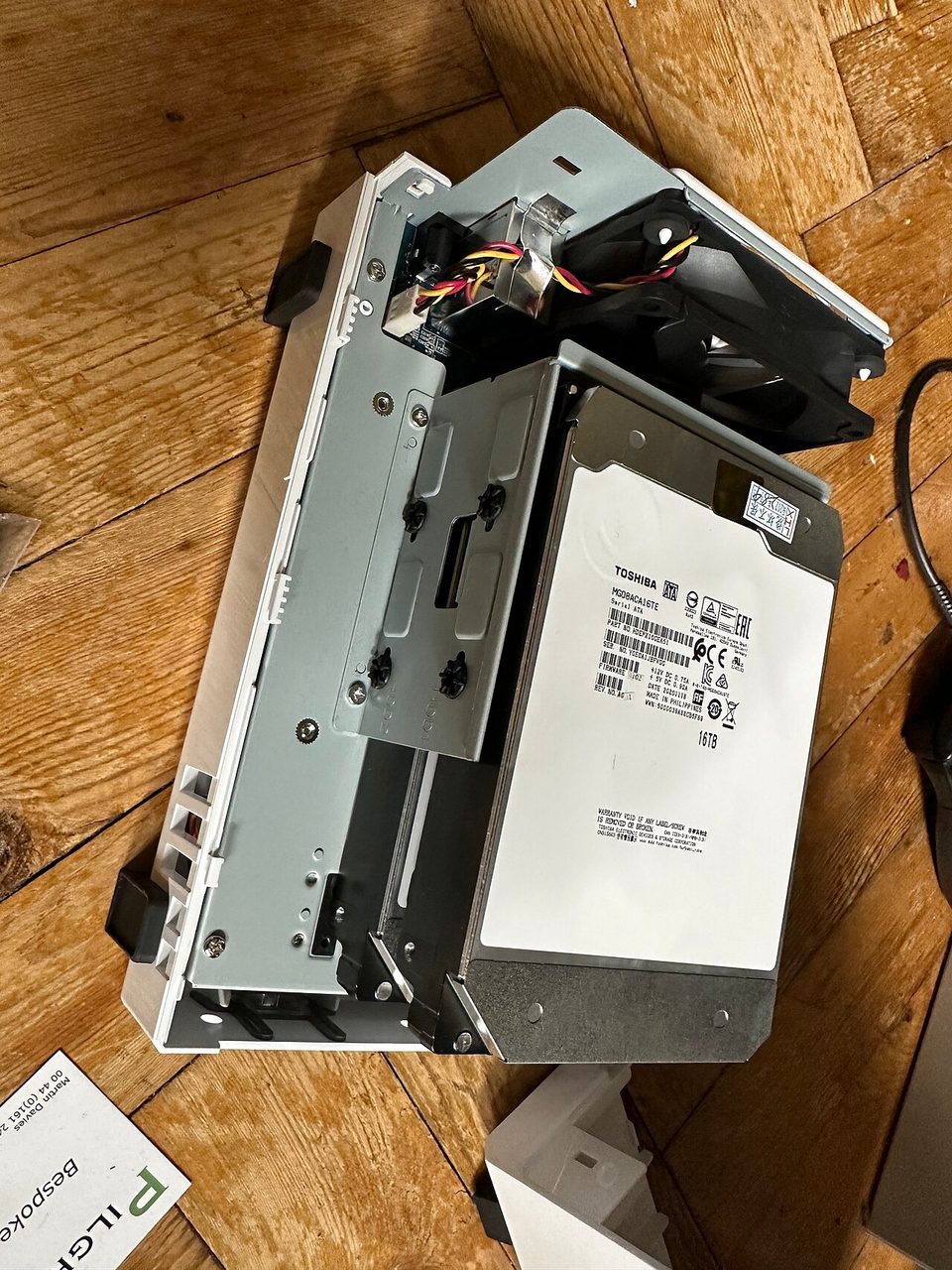
Two bays is a math problem before it's a product. Bay one holds your data. Bay two mirrors it, so you can survive one dead drive and zero dead files. I ran the DS224+ as my small-office box for most of a year, and the math is the whole review: what fits, what doesn't, and why the second bay makes people feel safer than they are.
Plainly, since the rules require it: this is not a purchase recommendation, and I bought it myself. The unit lists around $300 bare, and the real system, two 8TB drives in it, is north of $600, which is the number to compare against.
the part everyone gets wrong
A NAS is not a backup. At the MSP we deployed 2-bay Synologys into small offices for years, and the conversation was always the same: two drives, mirrored, done. Then a client's QuickBooks file corrupted in March, the corruption replicated happily to the mirror that afternoon, and I spent a weekend rebuilding an accounting database from a version that was only slightly less corrupted. A mirror protects against a dead disk. It does nothing against a dead file, a fat-fingered delete, or ransomware, which encrypts your live share and waits for your backup job to copy the encrypted version.
The other wrong thing is thinking of the box as a drive enclosure. DSM, Synology's operating system, is a network-facing Linux machine with a login page, dozens of packages, and an update schedule. It has an attack surface. It phones home. Most owners never think about it until the night they should.
the mechanics
Hardware first, briefly. The DS224+ is the 2024 refresh of the DS220+: Intel Celeron J4125, four cores, 2GB of DDR4 that you should upgrade on day one, two tool-less bays, two 1GbE ports, and two M.2 2280 slots that Synology officially treats as SSD cache. Btrfs is the reason to buy a Plus model instead of the value line: snapshots. A snapshot is a frozen view of the share taken in seconds, and when ransomware or a bad sync job lands, you roll back and the damage window is minutes, not the last nightly backup.
The software is the actual product. Active Backup for Business runs free on Plus units and backs up PCs, servers, and VMs to the box. Hyper Backup does versioned, deduplicated backups of the NAS itself to an external drive or to Backblaze B2, which is how the three-two-one rule survives inside a two-bay chassis. Snapshot Replication schedules hourly snapshots on a share with daily Hyper Backup versions off-site. That stack, not the CPU, is what you're paying for.
QuickConnect is the remote access story: no port forwarding, the box connects outbound to Synology's relay, and you get a URL. It's convenient and it means your traffic path includes a proxy run by the NAS vendor, and I'd rather reach the box through Tailscale and leave every port closed.
where it breaks
The network is the ceiling everyone hits first. Two 1GbE ports top out around 113 MB/s, and the newer DS225+ ships 2.5GbE, which tells you where the line is moving. Large file copies saturate and stop. M.2 slots officially do cache, not storage pools, on this generation, so the NVMe you were tempted to treat as fast storage has a narrower job than the marketing implies.
2GB of RAM is the second ceiling. DSM itself runs fine, Photos face indexing does not, and the first big import will pin the box for hours. The J4125 is fine for file service, Docker containers, and 1080p media served direct, and it's fine because nobody is transcoding 4K on a 2-bay NAS, and you shouldn't plan to.
The drive compatibility controversy is the trust question I watch. In 2025 Synology began restricting new Plus models to drives on its own compatibility list, an enforced check rather than advice, and the community response was immediate and loud. The DS224+ predates that policy, but the direction is visible, and a box this locked-in is only worth buying from a company that stays honest about expansion. I could be wrong about where that policy lands, and if I am, someone will tell me.
The security history is not theoretical. NAS ransomware waves in 2021 and 2022 hit home units that had been port forwarded and forgotten, and the pattern held across vendors: exposed management interfaces, unpatched firmware, no 2FA. A Synology on the open internet is a target whether you think you have anything valuable or not, because the value is your files plus your bandwidth plus your remaining trust.
what to do
- Buy two big drives, not four small ones. A 2-bay mirror with 8TB each beats a 4-bay SHR you filled with mismatched pulls, and the money you didn't spend goes to the offsite copy.
- Upgrade the RAM to 6GB before the first Photos import, not after.
- Enable Btrfs snapshots on every share, hourly on the important one.
- Hyper Backup the box to Backblaze B2 with versioning and test a restore from it. Beryl knocked our block's power out for four days in 2024 and the offsite copy was the only reason one client's books survived a dead UPS.
- Close everything. No port forwards, QuickConnect only if you must, Tailscale if you can, 2FA regardless, DSM on auto-update.
My unit sits on a wire shelf next to a desiccant pack that came with a drive in 2024, never replaced, doing nothing. The box doesn't care, and neither does the hurricane season that starts every June whether the restore drill is done or not.
Run the restore drill before June, not after.