Nicholas Tongrestic
52 / 56
the backup my own server isn't allowed to delete
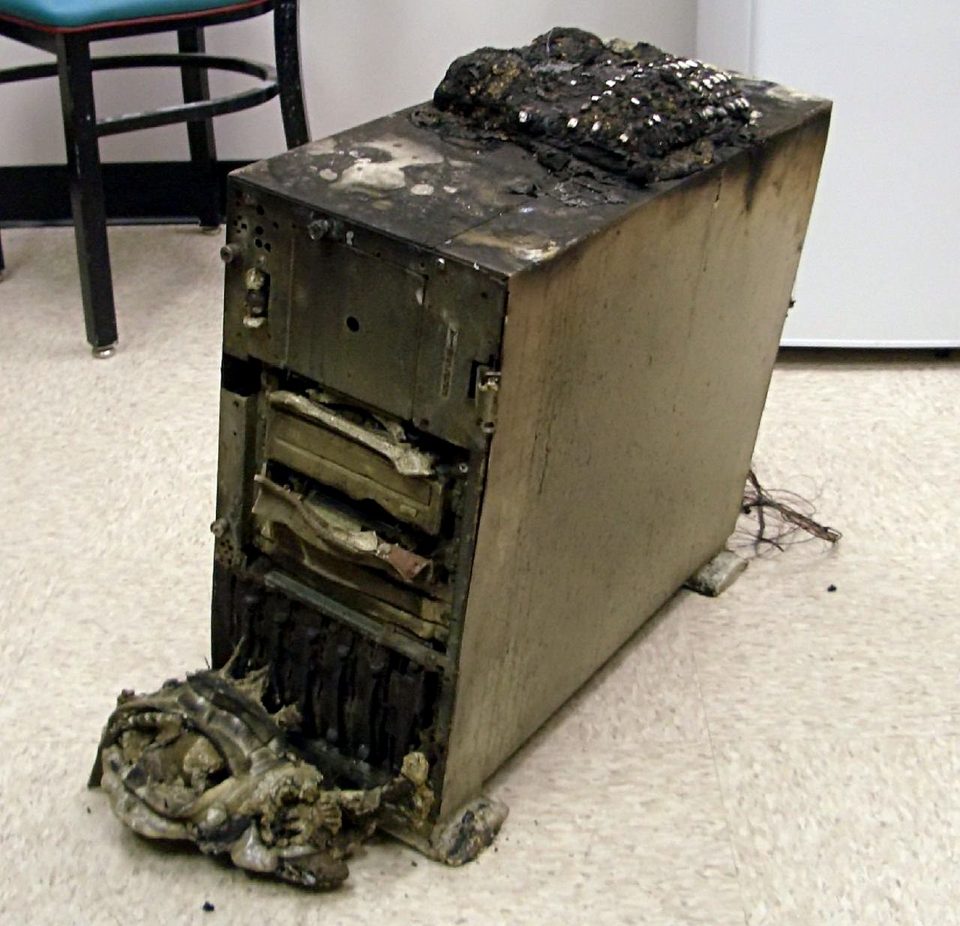
The console was green, the way backup consoles always are when you only look at the color. Then you read the repository size: 0 bytes. This was a client of the MSP I worked at, a small engineering firm with maybe forty gigabytes of work product, and the backup had been green for three days straight. A ransomware crew got in overnight and spent its first hour not on the file server but on the backup repository. They used the credentials the backup server had stored for itself, because the backup server needed to log into the repository, and nobody had ever made a plan for that second copy of those credentials. The office manager stood behind my chair and asked whether the 0 bytes thing was "the cloud one." It was. The cloud one was gone too.
Six years back, and that console is still the reason every backup tool I've trusted since gets judged on one question before any feature comparison: who holds delete.
everyone shops for the wrong guarantee
When people compare backup tools they compare encryption, dedupe, compression, the dashboard. Reasonable questions, all of them, and none of them decisive. If the machine being backed up holds the credentials that can delete its own backup, the encryption is a courtesy. The dedupe is furniture. An attacker doesn't have to break AES-256 when the tool is happy to hand over the delete button, and crews know it, which is why their first hour goes where it went.
My lab runs restic, a single binary that's free under a BSD-2-Clause license, currently at 0.19.1 from July 2026. It does encrypted, deduplicated snapshots to a dozen backends and it does them well. I want to be careful here, because restic is not a magic answer. Out of the box it has exactly the flaw I'm describing: a client that can write to the repository can also call delete. What it hands you instead is the parts to fix that, a companion server and an append-only mode, and the judgment to use them, which took me one weekend and one reordering of what I thought a backup was.
how the append-only setup actually works
restic encrypts on the client before a byte leaves. The repository is a pile of encrypted blobs and the password never crosses the network. Point it at local disk, SFTP, S3, or rest-server, restic's small companion service, and the model is the same: every run makes a new snapshot, and nothing old gets touched.
That last property matters more than it sounds. rest-server has a flag that changes the deal entirely. In version 0.14.0, released May 2025, its --append-only mode "allows creation of new backups but prevents deletion and modification of existing backups." Mine runs in a container on the Synology DS224+ I already owned. Every host has credentials that can push new snapshots and read them back. When one tries to delete, the server answers 403 Forbidden, and that 403 is the whole feature.
Retention still has to happen somewhere, because snapshots pile up and disks fill. restic's forget and prune commands need full read, write, and delete access, so the docs say the quiet part out loud: run them from a separate, well-secured client. Mine is a laptop that runs no services, holds the repository password and nothing else, and has never been logged into from a machine that backs itself up. Pruning happens monthly, from the couch, by hand. The restic repo and the Synology's own snapshot space live on the same box, a compromise I accept because the threat I'm building against is ransomware walking the network, not the NAS burning down. For fire there's a second copy in cold storage I rotate manually, and I'll admit the rotation is more of a suggestion than a schedule.
where it bites back
Three ways this setup can still hurt me.
First, planted snapshots. Append-only stops deletion, it doesn't stop creation. A compromised host can write snapshots with any timestamps it likes, full of junk, and then wait. If I run restic forget --keep-last 7, the policy counts those planted snapshots as the seven newest and deletes the real ones. The docs are honest about this: legitimate snapshots risk being deleted by an unsuspecting administrator, leaving only the attacker's useless ones. The recommended defense is --keep-within, which never deletes anything newer than a window you set, so the newest real snapshots survive whatever timestamps an attacker plants. That narrows the blast radius. It doesn't close it. Anything older than the window is still fair game for a poisoned policy, and there's no way to prove a snapshot's timestamp is true, a limitation the maintainer has been straightforward about.
Second, prune is not free. It locks the repository while it runs, so backups pause, and it holds the index in RAM. The forum is full of people discovering that a 1.5 TB repository wants nine or ten gigabytes of memory to prune, and the out-of-memory threads there are practically a genre. Mine is well under that, and forget --prune takes eleven minutes, but the scheduling point stands: prune monthly, from the laptop, on purpose, never chained to a nightly cron that a busy disk will starve halfway through.
Third, the storage layer still trusts my discipline. restic has no native support for S3 or B2 object lock, the thing that would make the bucket itself refuse deletes for a retention window no matter who asks. The feature request has been open since 2020. Until it lands, append-only is a promise enforced by a process running on my Synology, and a process can be turned off by anyone who owns the NAS. Immutability you can't cheat needs the storage to say no. It doesn't yet.
On the crypto, which is what everyone asks first: Filippo Valsorda, who wrote Go's crypto at Google, reviewed restic's design in 2017 and called it sound, while saying plainly that it wasn't an audit. Nine years on, the project has published no GitHub security advisories. That's a record, not a guarantee, and I'd rather know both facts than recite either one.
what I'd do first
- Decide who holds delete before comparing features. If one credential can write and delete and it lives on the backed-up machine, you don't have a backup, you have a countdown.
- Put rest-server in
--append-onlyon a box that isn't any of the backed-up machines, with per-host credentials, so the delete-capable set stays small. - Prefer
--keep-withinto--keep-lastin every forget policy, so a planted snapshot can't evict a real one. - Run
restic check --read-data-subsetmonthly and keep a timed restore drill on the calendar. My last drill restored 187 GB in 41 minutes, which is the number I trust more than the green console. Backups are not real until you have restored from them, and they're not restorable if the password lived on the thing that burned.
One useless detail before the end: the container on the Synology is named "rest-serer," a typo I made at 1am in the compose file three years ago. Fixing it means rebuilding the volume path on every host, so it stays, and every time I edit that file I type the typo from memory.
And the admission: I spent two weeks helping that client rebuild after the 0 bytes morning, then changed nothing in my own lab for another year. A year. The lesson was free and I paid for it anyway, later, on purpose, in a weekend I scheduled twice and skipped once.
The password is the backup. The delete right is the backup. The green checkmark is just the UI.