Ava NguyenWacom One 13 touch
35 / 48
i started writing on my screen like it's paper and now it's my whole desk
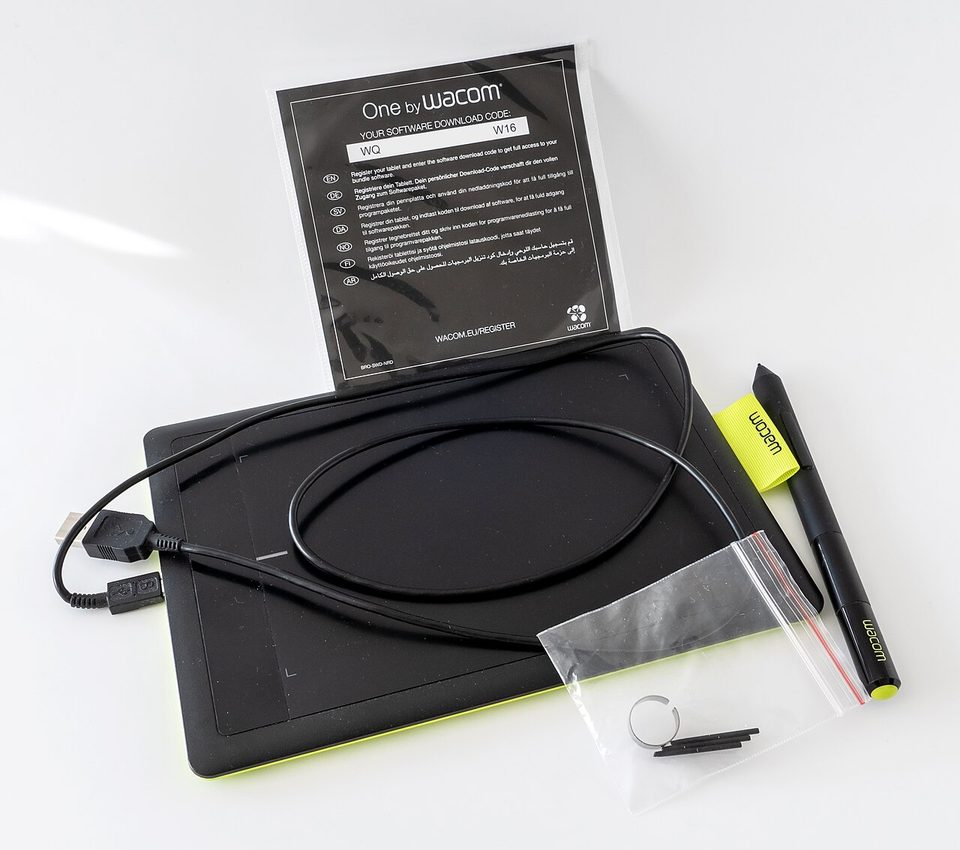
On Monday I was in a design critique, one of those calls where twelve people look at a flow chart and one of them is wrong, and instead of typing "what if this moved over here" into the chat, I drew a big wobbly arrow right on the screen with a real pen. My coworker, the cold brew person, went quiet for a second and then said "oh that's so much better."
It is so much better. It's also $500, and I want to talk about the whole price of it.
the honest bit, with receipts
| thing | what it cost |
|---|---|
| Wacom One 13 touch, on sale | $399 |
| its list price, roughly | $500 |
| one afternoon lost to monitor settings | gone |
| my trackpad's feelings | considered |
| the stand it does not come with | propped on books, ongoing |
Here's the confession part: I have designed software for three years without ever drawing on a screen, which is a sentence I am only half proud of. Every wireframe lived in boxes and arrows I dragged with a trackpad, and it was fine, the way printing at the library is fine. Buying a pen display felt like admitting I'd been doing my job the stubborn way. I had been doing my job the stubborn way.
what it actually does, a list
Setup is one cable, and I mean that reverently. One USB-C cable from the tablet to the laptop, one login, done. It even works as a basic touch display before you install drivers, which is the calmest first-run experience I have had with any gadget on this blog. My old monitor setup involved a dongle graveyard. This was one cable and a software update.
The pen has no battery and that changes everything. It uses electromagnetic resonance to find the pen's position, pressure, and angle, so the stylus charges itself by existing near the screen. No charging ritual, no dying mid-sketch, no weight in the barrel. It's lighter than any pen I own, and after long sessions my wrist is fine, which is not true of anything else I draw with.
The screen feel is the reason to buy it. It's a 13.3-inch matte, textured display, and dragging the nib across it feels like a soft pencil on a toothy sketchbook page: smooth, with the tiniest bit of drag. I did not expect to care and I care enormously. Is 1080p a problem in 2026? Mostly no, sometimes yes: text is a touch soft up close, but for sketching and marking up it's plenty, and the matte finish means no glare from the window I refuse to sit away from.
Multi-touch is a quiet luxury. Pinch to zoom in Figma, two fingers to scroll, ten gesture options in total, and it means my keyboard slides aside while I work instead of staging a coup. I moved one window with a finger the first day and felt like I was operating a very calm touchscreen museum.
Now the leash. This thing is not wireless. There's no battery in the tablet, so you're tethered to the laptop by that USB-C cable, and I have tried twice to carry it to the couch and been gently stopped by physics. If you want a couch sketchbook, that's what an iPad is for. This is a desk instrument. It lives where the desk is.
No stand, and I have opinions. It ships without a stand, which at $500 is a real cut. Mine currently leans against my laptop riser at the exact angle I'd choose anyway, and there are folding stands for about $30 if you want a proper solution. The back is all plastic, which sounds cheap and is actually fine, because the lightness is the feature: I shift it around my desk a dozen times a session.
What it skips, said plainly. No dials, no remote, none of the pro-grade extras of the bigger pen displays that cost three times as much. If you're a working illustrator with opinions about shortcut remotes, this will feel spare. If you're a designer who wants to sketch flows, mark up screenshots, and annotate meeting notes with an actual pen, it's complete. Professional artists have said you could do real client work on this for years without hitting a wall, and I believe them.
tangent: my handwriting came back from the dead
I stopped writing by hand around 2019, the way everyone did, and last week I caught myself taking meeting notes on this tablet in my actual handwriting, which I had assumed was gone. It's not gone. It's just been waiting under a layer of typing. My grandmother wrote letters in cursive that slanted like she was walking downhill, and I loved getting them, and I never wrote back, because typing was faster and I was twenty-two and stupid about time. Now my notes have my slant in them again. The tablet didn't bring handwriting back. It just gave it a place to live that syncs.
Anyway, moving on before I get sentimental about a nib, which is a sentence I never planned to type.
the soft landing
The arrow I drew on Monday worked, for the record. The flow moved over, the call ended early, and my wrist didn't hurt. If your work lives in boxes and arrows and you've been dragging them with a trackpad for years like I had, this is the gentlest possible intervention.
I keep meaning to sketch somewhere other than my desk, and the cable keeps
One cable. A soft nib. My handwriting, back from the dead.
- ava ✏️