Ava NguyenApple Pencil Pro
42 / 48
i screamed in a coffee shop because a pencil buzzed at me
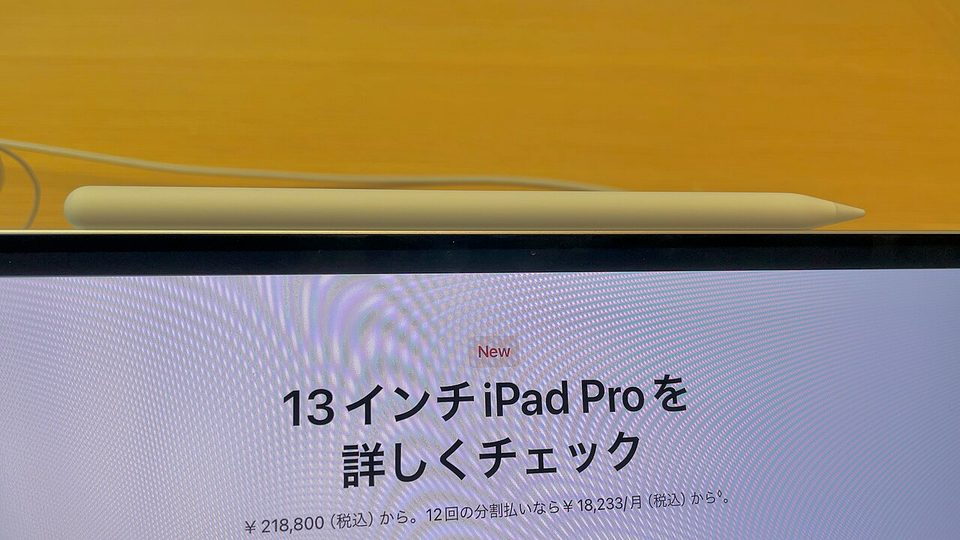
The first time I squeezed this thing, a menu of tools popped out of the screen like a jack-in-the-box and I made a noise in a coffee shop that made a barista check on me. That was May of last year. I have since done it in front of my entire team during a design review, with the confidence of a woman who has already embarrassed herself once and survived.
This is a review of a $129 stick. Stay with me.
the honest bit, with receipts
| thing | what it cost |
|---|---|
| Apple Pencil Pro, engraved "ava," during a sale | $99 |
| list price | $129 |
| one year of using a $25 third-party stylus first | my pride, retroactively |
| two Find My searches within my own apartment | an evening and some humility |
| the engraving, free at checkout, all lowercase | zero dollars, maximum joy |
The feelings part: I put this purchase off for a full year because I already had "a stylus that works" and I told myself the Pro features were toys. They were not toys. They were the difference between poking a screen and holding a pencil, and I spent twelve months paying rent on the wrong side of that line.
the six things that changed how i work
The squeeze is the whole trick. Pinch the barrel and a palette blooms right under the tip, so you never break your stroke to hunt through a toolbar. Squeeze again and it's gone. Reviewers flagged this as the headline feature when it launched and a year in, it's the one my hands refuse to give back. My brain has fully decided the pencil is a real object with a real trick in it.
The haptic buzz is tiny and it matters more than it should. Double-tap the flat side to swap tools and the pencil confirms with a little shiver, so you know the eraser is live without looking down. The older Pencil did the switch with no feedback and I could never tell which tool was active until I touched the screen and ruined something. Now the pencil itself says "yeah, done." A gadget confirming its own existence. I'm into it.
Barrel roll saved my print-designer heart. Rotate the pencil in your fingers while drawing and the stroke rotates with you, exactly like turning a real pencil onto its soft side for shading. I trained on paper and brush pens before I ever touched a tablet, and every stylus before this one felt like it was pretending that history didn't happen. This one knows. My line weight finally has the same range it did on paper.
Hover shows the landing before the touchdown. On compatible iPads the tip previews where the stroke will land while the pencil is still floating above the glass, and the shadow tightens as you get closer. For precise work, aligning a label, nudging a path, it removes about half the micro-corrections I used to make. It's the feature I forget to demo for friends and then watch their eyebrows go up when I do.
Find My exists because this thing absolutely will escape. The Pencil clings to the iPad's top edge by a magnet, and the magnet is confident but not loyal. Knock it loose in a bag or on a couch and it's gone, which is the complaint you'll find repeated by every owner who has ever sat on furniture. Mine has gone missing twice, both times inside my own apartment, both times recovered by playing a little chirp from my phone. Once it was under the couch. Once it was in a plant. I don't want to discuss the plant.
Here's the catch: it only works on recent iPads. No backward compatibility, none, not even the 2022 iPad Pros. It pairs with the 2024 iPad Air and iPad Pro and newer, so check your model before you fall in love. The $79 USB-C Pencil is the value pick for older or budget setups, but it drops pressure sensitivity and Find My, and pressure is not a garnish. Pressure is the meal.
the tangent about my $25 era
Before this, I spent a year with a third-party stylus that cost about the same as a nice takeout order, and I want to be fair to it, because it wrote and it charged over USB-C and it never once pretended to be more than it was. It also never stuck to the iPad properly, it had all the pressure sensitivity of a chopstick, and the day it rolled off my desk and vanished under the radiator for a week, I didn't even look for it right away. That's the tell. You look for the things you're afraid to lose.
Here's what I actually learned in that year, and why I'm telling you: I thought my hesitation with digital drawing was a skill problem. It wasn't. It was a tools problem wearing a skill problem's coat. The moment the pencil behaved like a pencil, the hesitation evaporated, and now I sketch on the couch like it's nothing. If you're bad at drawing on an iPad, you might not be bad. You might just be holding a chopstick.
Anyway, moving on, because I just remembered the plant incident again.
the soft landing
If you've been circling a creative thing for months and telling yourself you'll start when it's convenient, let me be the one who says the good tool is allowed to be the thing that starts it, and you are allowed to enjoy it.
I keep meaning to set up the proper side-by-side between the Pencil Pro and the old USB-C one, same app, same sketch, timed, and every time I open the file I end up drawing instead, which is either a methodology problem or the point, I haven't decided
Sketch the thing. Feel it buzz. Blame the pencil for the noise you make.
- ava ✏️